Save $10 On Your First Install. Use Code BLOG10


Auxe is operating as an essential business
Save $10 On Your First Install. Use Code BLOG10
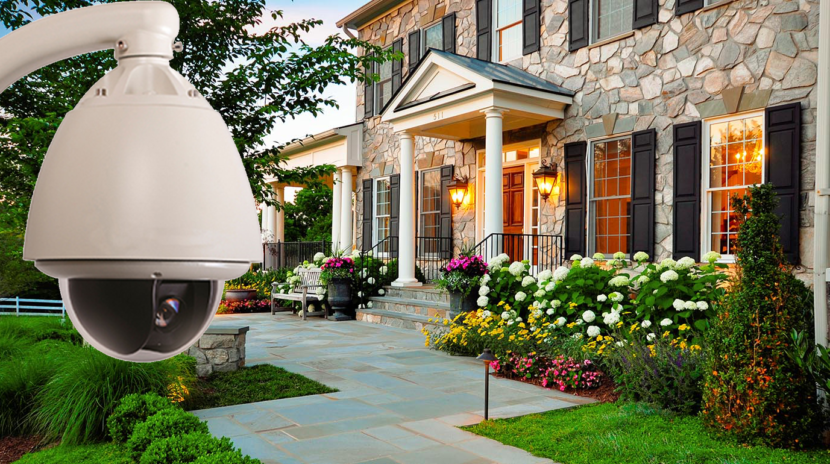
If you are planning a new home security cameras installation project, take time to inspect your property before mounting the equipment. A well-planned setup can improve visibility, make monitoring easier, and help you feel more confident about the safety of your home.
By
Ali
|
November 19, 2026


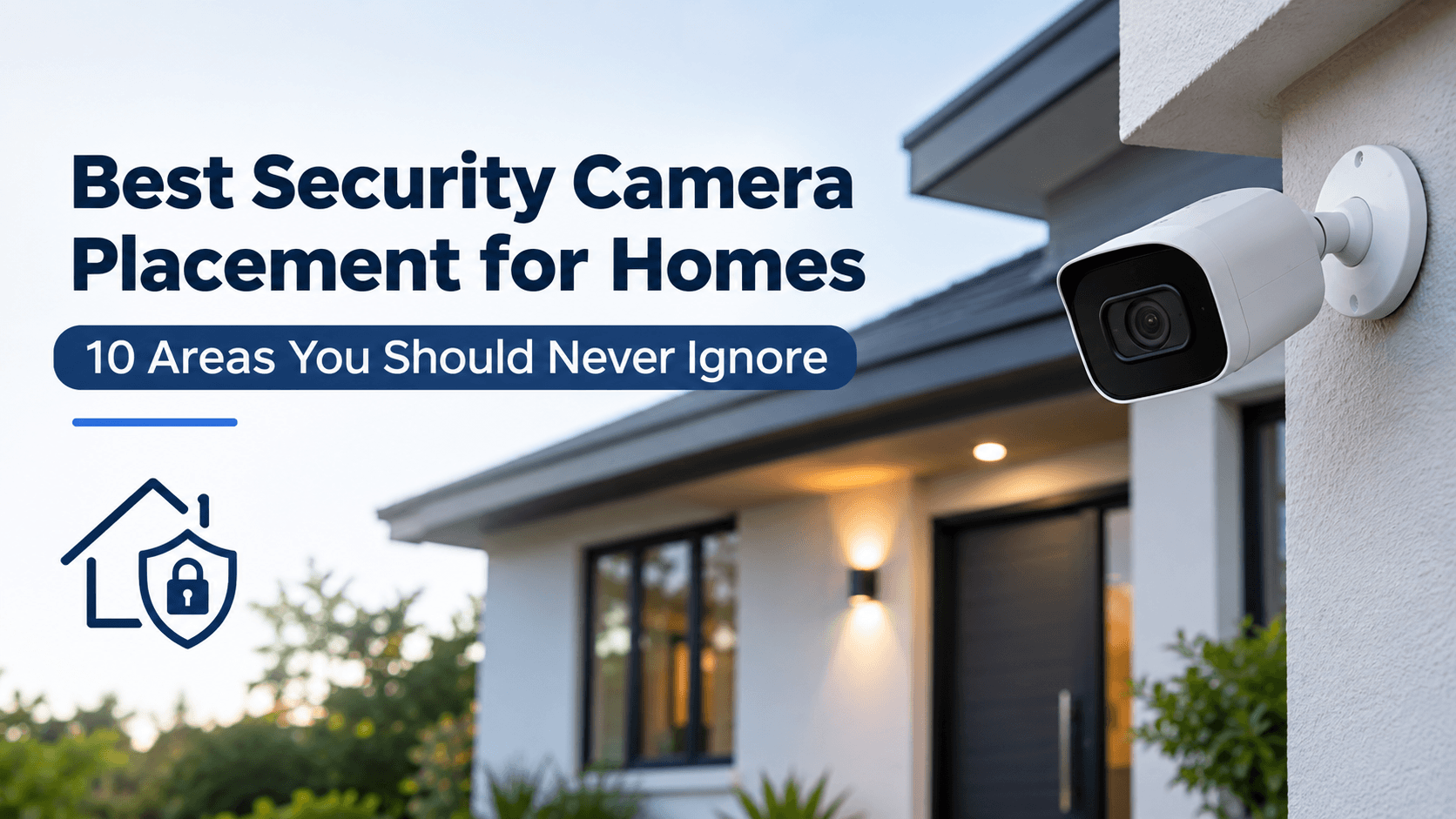
If you are planning a new home security cameras installation project, take time to inspect your property before mounting the equipment. A well-planned setup can improve visibility, make monitoring easier, and help you feel more confident about the safety of your home.
Home security is about more than buying good cameras. If any crucial areas are not covered by the cameras these features can be of little help even if the camera is advanced and has a high definition video, night vision, motion detection, and smart alerts.
This is why camera placement deserves careful attention before starting any home security cameras installation project. The right locations can help you monitor entrances, identify visitors, keep an eye on outdoor spaces, and record suspicious activity around your property.
Many homeowners focus on the number of cameras instead of thinking about where they should be installed. However, installing four cameras in strategic locations can sometimes provide better coverage than installing eight cameras without a proper plan.
Whether you are installing a new security system or improving an existing one, understanding the best places for security cameras can make a significant difference.
In this guide, we will discuss 10 important areas you should consider when planning your home security installation in Toronoto. We will also cover camera mounting height, common installation mistakes, and practical tips for getting better coverage.
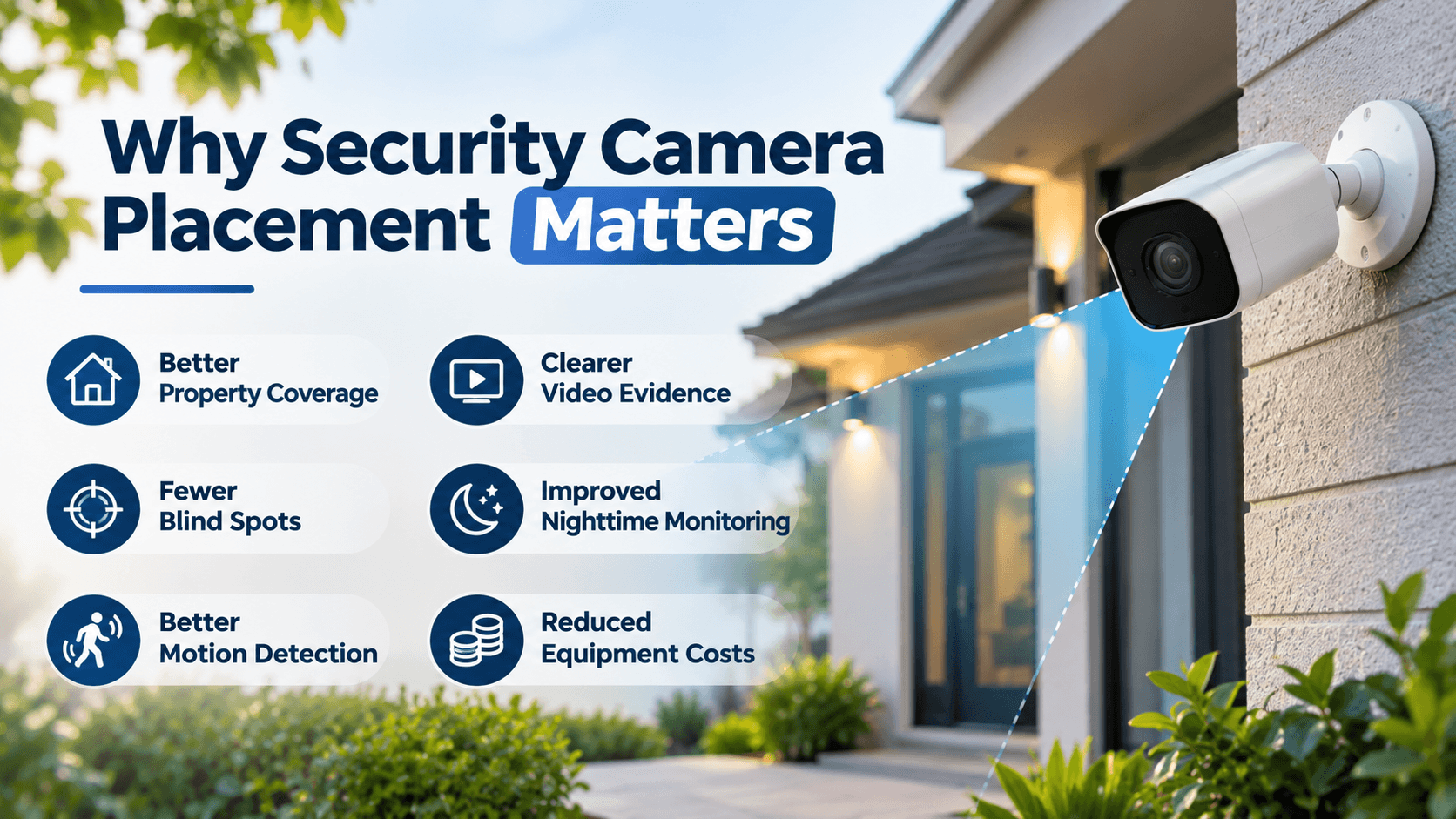
CCTV Security cameras are designed to help homeowners monitor their properties and record important events. However, their effectiveness depends heavily on their positioning.
Imagine installing a camera above your front door but pointing it directly toward the street. You might capture vehicles passing by, but you could miss someone standing near your entrance. This is a simple example of how poor positioning can reduce the usefulness of a security camera.
Proper placement helps cameras capture clear footage of important areas without leaving unnecessary blind spots. It also allows homeowners to monitor different sections of their property without installing more equipment than they actually need.
There are several reasons why camera placement is important:
Before starting a home security installation, walk around your property and identify the locations where someone could enter without being easily noticed. Pay attention to doors, windows, garages, side passages, and areas with limited visibility.
This simple inspection can help you create a practical camera placement plan.
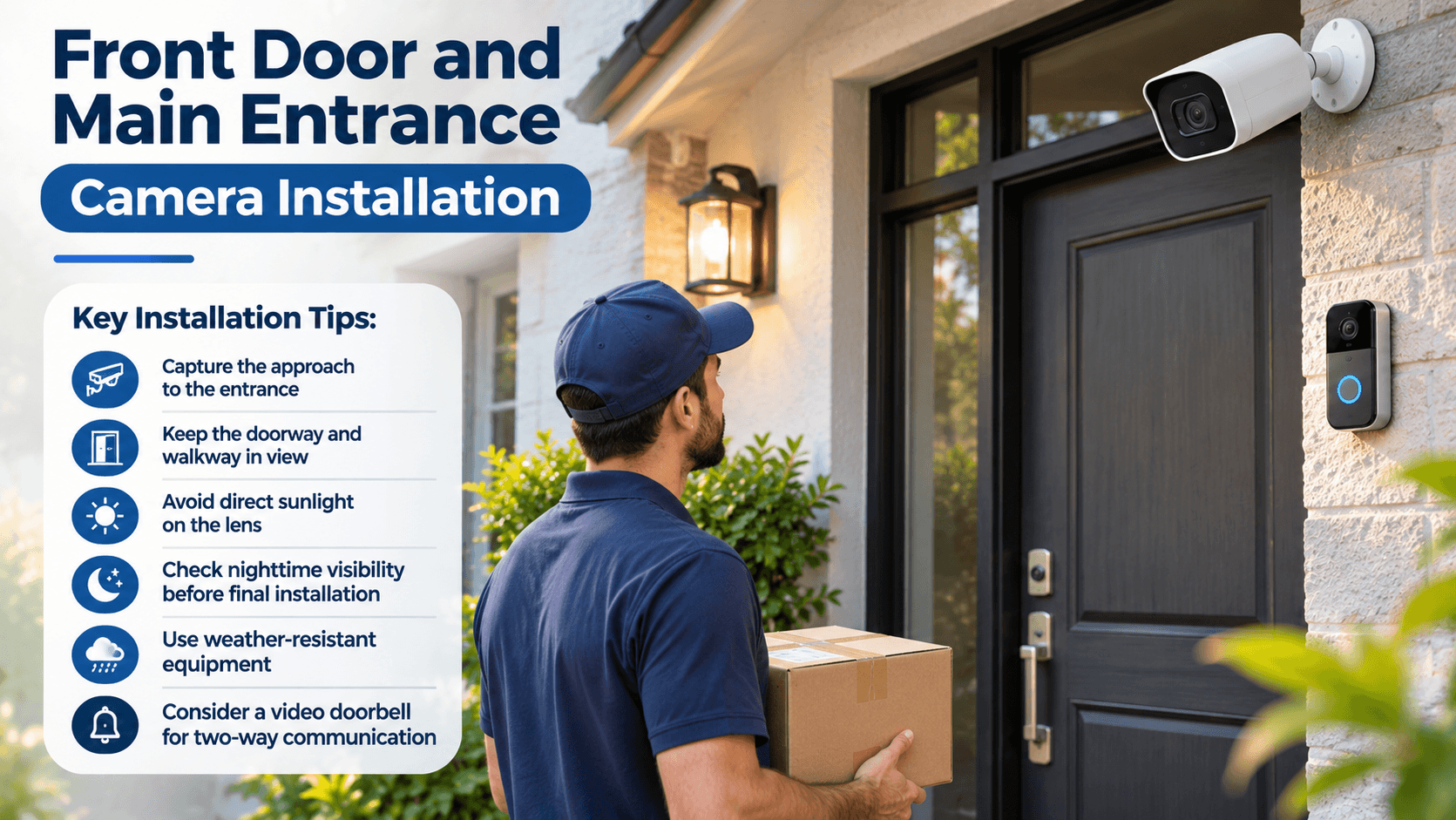
The front door is one of the most important locations for a home security camera. It is the main entrance for family members, visitors, delivery drivers, and other people coming to your property.
A properly positioned camera can help you see who approaches your home, monitor package deliveries, and record activity around the entrance.
Many homeowners install cameras directly above the front door. While this can provide a useful overview, the camera angle should be selected carefully. If the camera points too sharply downward, it may capture the top of someone's head instead of their face.
For better identification, position the camera at an angle that captures the visitor's face as they approach the entrance.
A video doorbell can also be a useful option. These devices combine a camera, microphone, speaker, and motion detection in one unit. Some models allow homeowners to communicate with visitors through a smartphone, even when they are away from home.
Important front door camera installation tips:
If your home has a porch or covered entrance, make sure the camera can still capture enough light at night. A covered area may appear darker than the surrounding outdoor space.
The main goal is to capture useful footage of anyone approaching or entering your home.
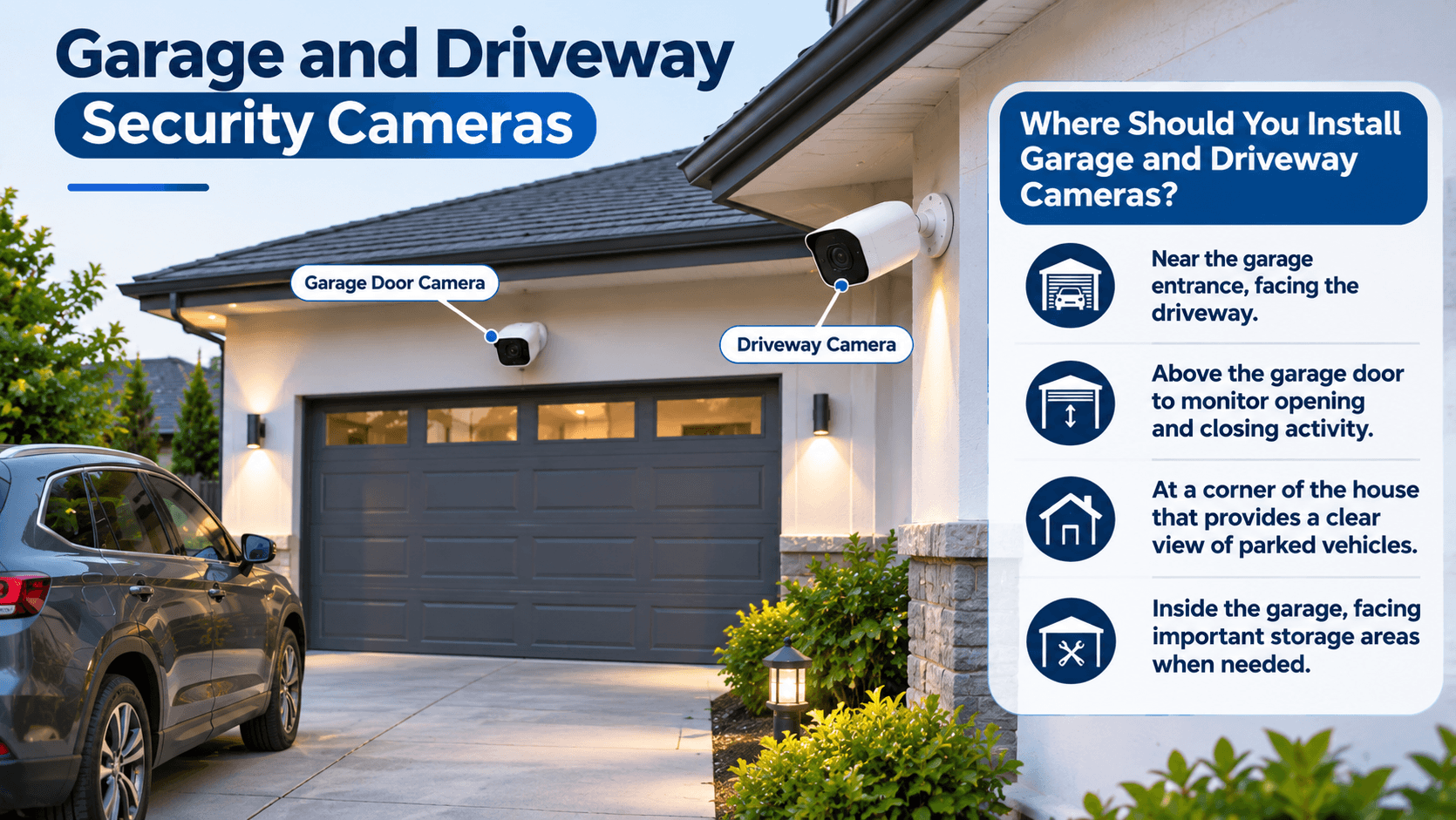
Your garage and driveway should be given special attention because often they have valuable belongings in them. Items such as vehicles, bicycles, tools, lawn equipment and other items that cost more can be stored in these areas.
A security camera overlooking the driveway can help you monitor vehicles entering and leaving your property. It can also record unusual activity around parked cars and the garage entrance.
For the best results, consider installing one camera to cover the driveway and another to monitor the garage door if your layout requires additional coverage.
The driveway camera should provide a wide view of the entrance without focusing too much on distant areas. Close-up shots may be hard to identify if the camera is too close.
Garage cameras can also be useful inside the garage. They enable homeowners to track movements around items they've stored and detect shady activity.
Where should you install garage and driveway cameras?
When mounting security cameras in these locations, consider the available lighting. Headlights from vehicles can sometimes create bright spots in recordings, especially at night.
Choose a camera with suitable wide dynamic range (WDR) or backlight compensation if strong lighting differences are common around your driveway.
You should also make sure the camera does not interfere with garage door movement or other equipment.
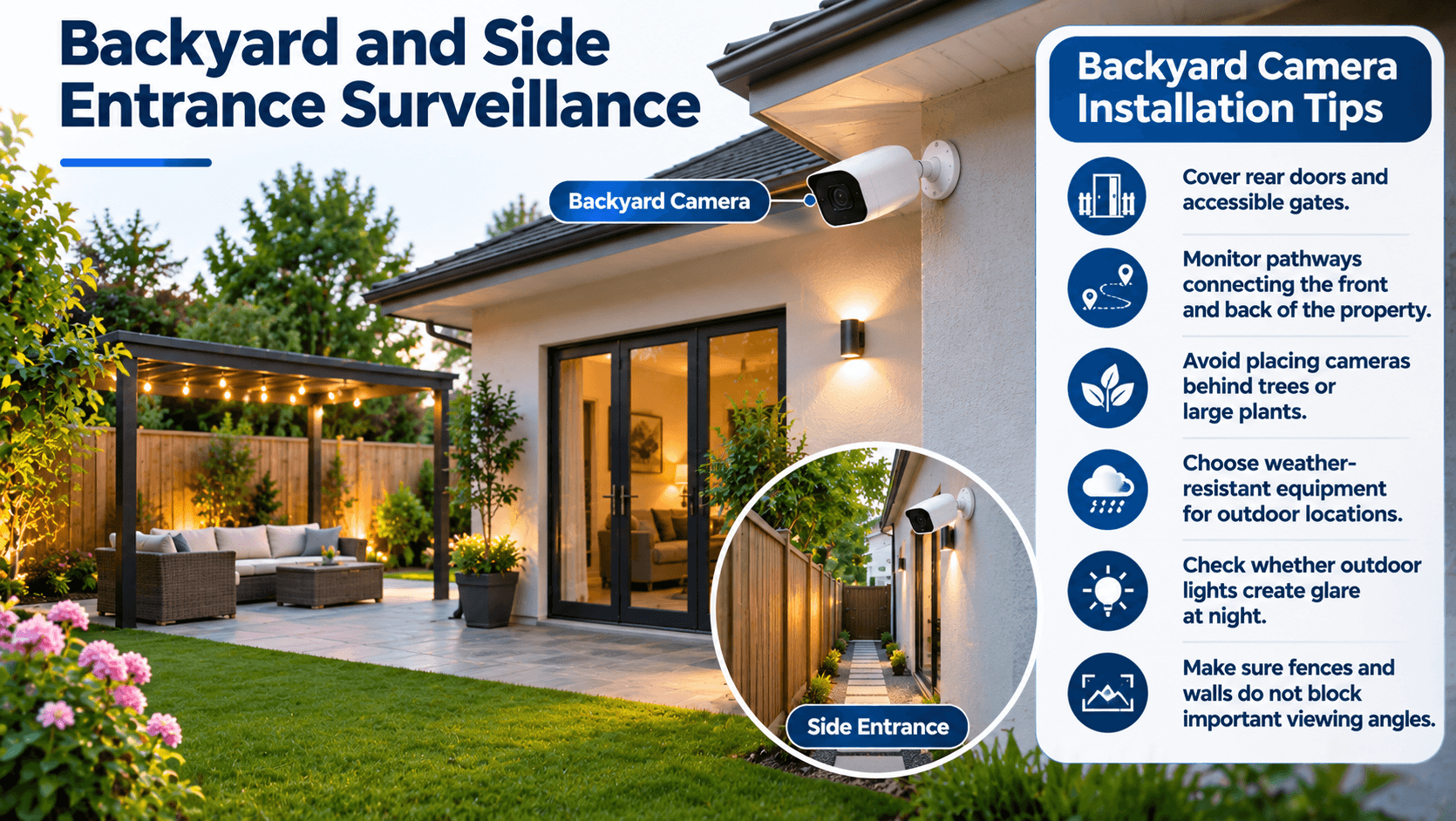
Most house owners put cameras on the front of their house, and then forget about the backyard and side entrances.
These can be security blind spots, particularly if fences, trees, sheds or other fencing are blocking the street view.
Maintains eyes on outdoor spa, gardening areas, patios and rear doors with a back yard camera. It can also record movement around outdoor equipment, furniture,and storage sheds.
Side entrances are equally important. Some homes have narrow passages between neighboring properties that lead directly to the backyard. If these areas are not monitored, someone could approach the rear of the house without appearing on the front camera.
For better coverage, consider installing a camera at an elevated corner of the backyard. This position may provide a wider view of the outdoor area.
If the backyard camera does not clearly cover a separate camera can be installed near a side entrance.
Things to consider when installing backyard cameras:
If you have a large backyard, do not expect one camera to capture everything clearly. Divide the space into important monitoring zones and position cameras according to your actual security needs.
A properly planned outdoor security system can make it easier to monitor areas that are not visible from inside your home.
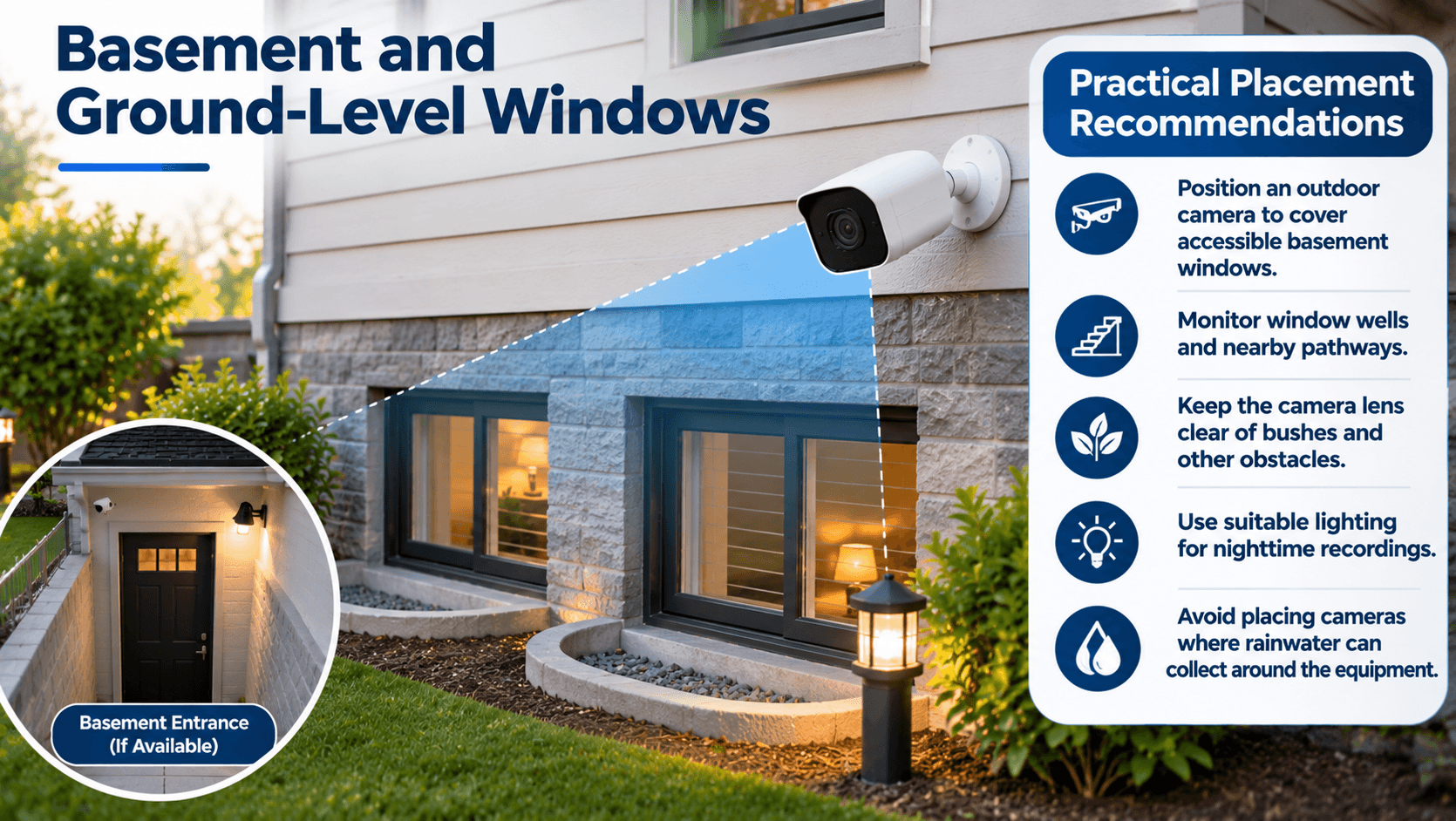
It's easy to miss basement windows or windows that are on the ground level when installing a security camera system. They are important sites to consider, however, especially if they're behind bushes, fences or landscaping.
These windows may provide access to parts of the house that are not visible from the street.
A camera positioned outside can monitor activity around basement windows, window wells, and other accessible openings. It can also assist homeowners to discover unanticipated activity around these regions.
If your basement has a separate entrance, consider placing a camera where it can monitor the doorway and nearby walking path.
Indoor cameras can also be positioned to monitor important basement areas, depending on the layout of the property.
Practical placement recommendations:
One important consideration is privacy. Security cameras should monitor your property rather than neighboring homes or private spaces. Adjust the camera angle and privacy masking features where necessary.
If you have several basement windows, prioritize those that are hidden from normal outdoor visibility.
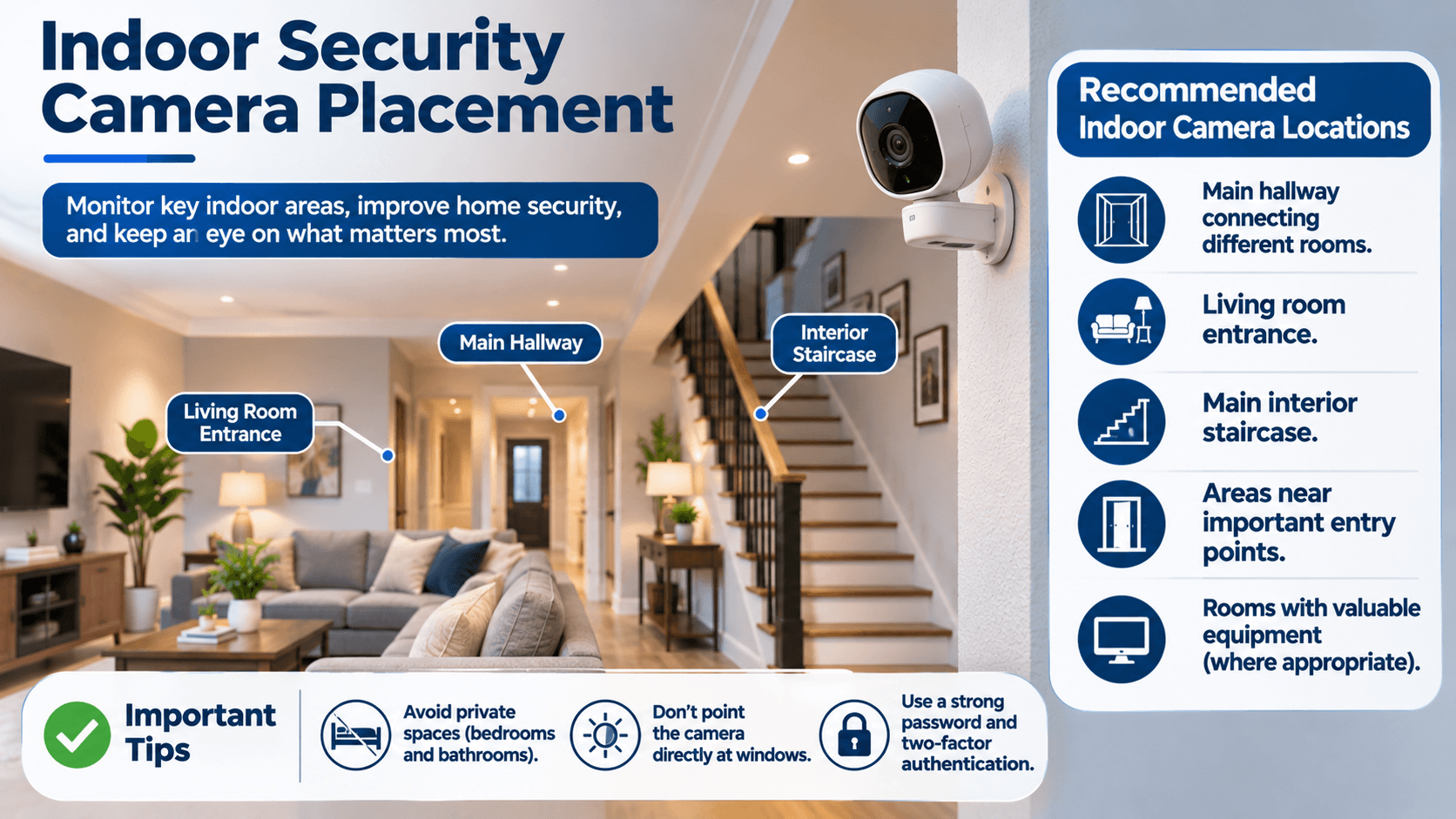
Outdoor cameras are important, but indoor security cameras can provide another layer of protection.
They enable homeowners to keep an eye on pivotal rooms, entrances, and communal areas. They can also be helpful when checking on pets or monitoring activity inside the house while away.
However, indoor cameras should be installed thoughtfully. It is generally not necessary to have cameras in every room, and can raise privacy concerns.
Instead, focus on shared areas and important access points.
Recommended indoor camera locations include:
A hallway camera can be especially useful because it may capture movement between different parts of the house.
If your house has multiple levels, consider installing a camera close to the steps that lead to your home. This can help monitor movement between floors.
When selecting indoor camera locations, make sure the camera is not pointing directly toward a window. Strong daylight can cause glare and make people appear too dark in the recording.
Another important issue is personal privacy. Do not install camera(s) in bathrooms, bedrooms or private areas. If you need indoor monitoring, choose shared areas where recording is appropriate and make sure household members understand where cameras are installed.
You should also secure your camera accounts with strong passwords and two-factor authentication when available.
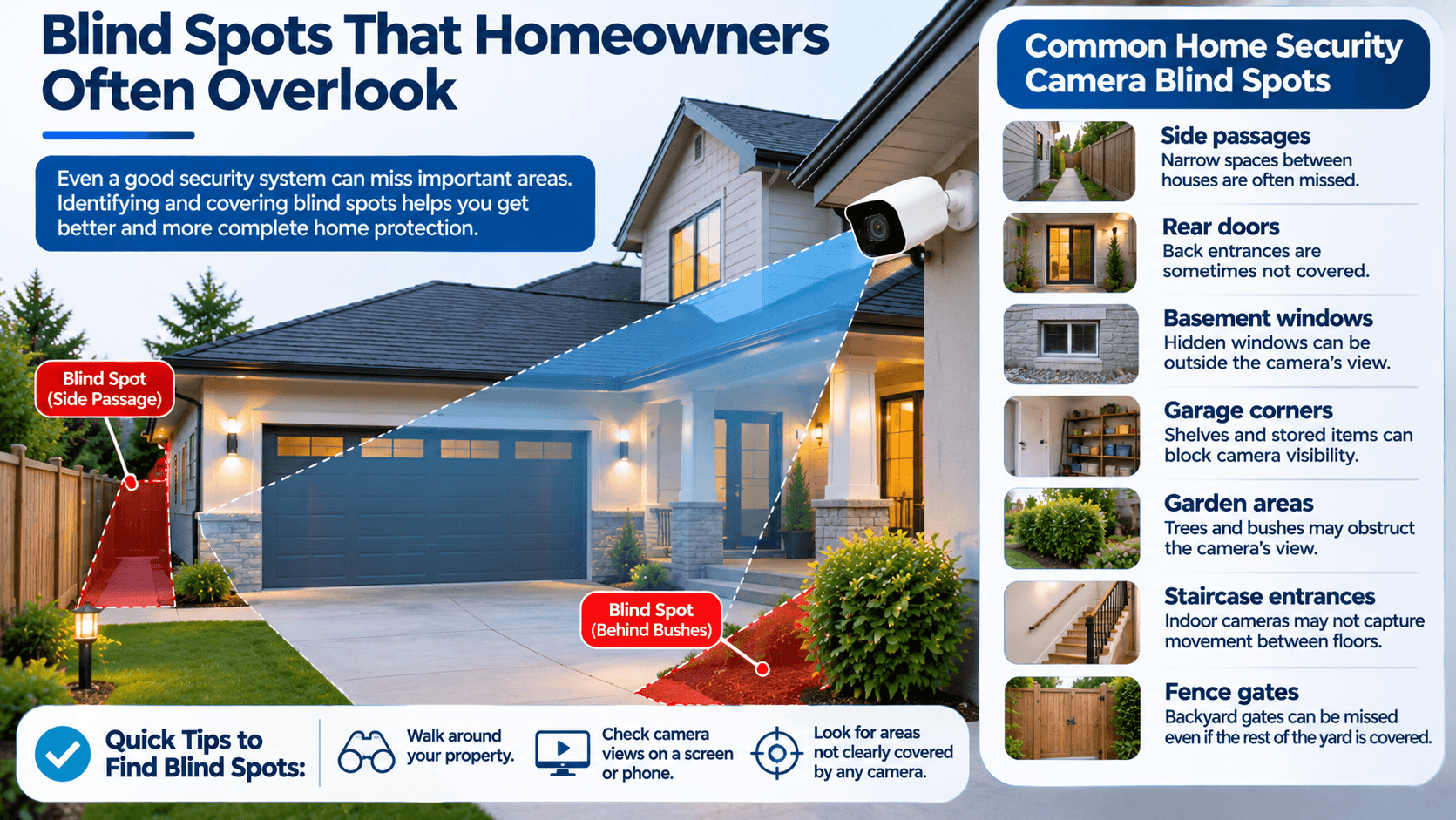
Even a good security camera system can have blind spots. These are areas that remain outside the camera's viewing range or are hidden by physical obstacles.
Some of the blind spots can be easily identified, and others do not become noticeable until after the cameras have been installed.
For instance, a camera can focus on the front entrance, but not on the path towards the entrance. Similarly, a backyard camera might record the patio but miss a side gate hidden behind a fence.
These small coverage gaps can reduce the overall effectiveness of your security system.
Common home security camera blind spots include:
To identify blind spots, walk around your property and check the camera views using your smartphone or monitoring screen.
Look for areas where a person could approach a door or window without appearing clearly in any recording.
Also keep in mind that the viewing range of a camera is not always useful for identification purposes and may be limited to a small portion of the field of view. Objects may appear smaller or less detailed near the edges.
The purpose of a good installation plan is not to cover as much area as possible, but to look at some of the important areas.
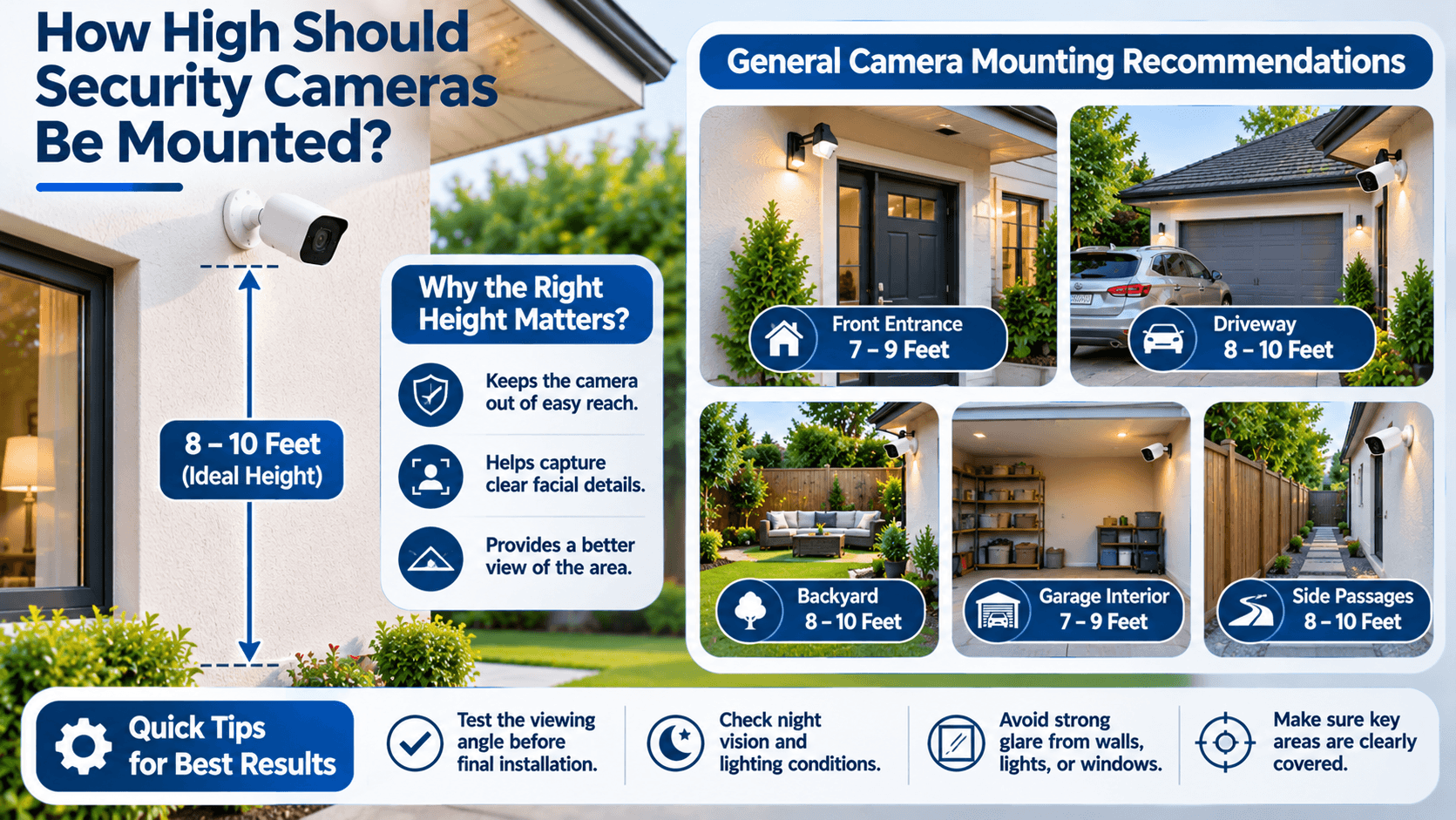
Camera mounting height is another important part of a successful installation.
If it is installed too low, someone may be able to touch it, damage it or take it away from the intended position; if it is installed too high, it will be difficult to get good facial details in the picture.
For many outdoor residential applications, a mounting height of approximately 8 to 10 feet above the ground can be a practical starting point.
However, the ideal height depends on the camera type, property layout, viewing angle, and purpose of the camera.
For example, a camera designed to monitor a large driveway may need a different mounting position from one intended to identify visitors at a front entrance.
General camera mounting recommendations:
These are general starting points, not fixed installation requirements.
Before drilling holes, temporarily position the camera and check its viewing angle. Ensure it stays on the areas that you wish to monitor and not point too low or miss out on important parts of the frame.
Also, take into account the night vision features of the camera. Walls, roof edges and reflective surfaces nearly can interfere with infrared illumination.
Correct height and positioning help you get more useful footage while making the equipment less accessible to unwanted interference.
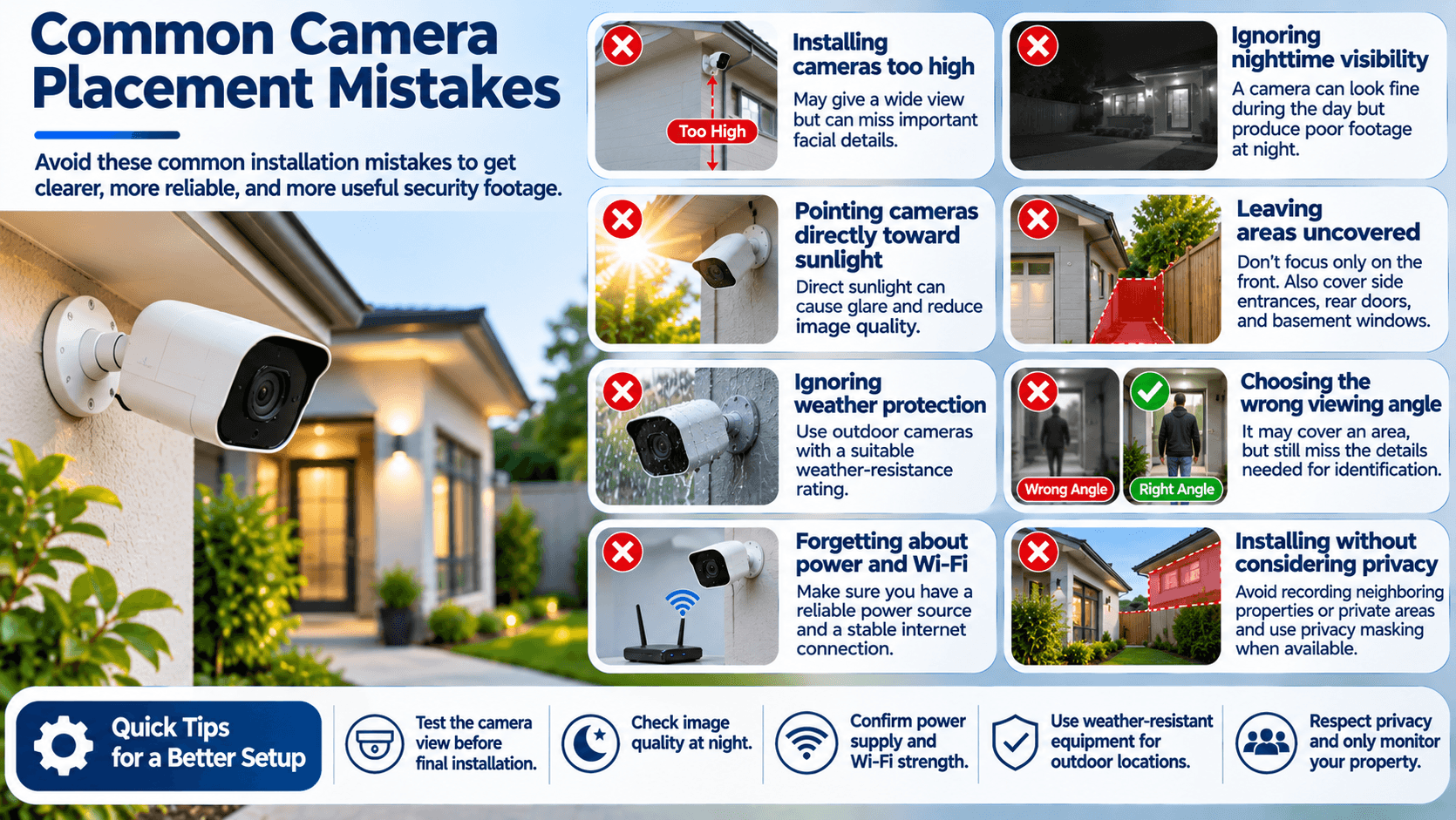
Even homeowners who invest in quality security equipment can make mistakes during installation.
Most of these problems happen because the cameras are installed without testing their viewing angles or considering the conditions around the property.
Avoiding a few common mistakes can save time and prevent unnecessary adjustments later.
Installing cameras too high
A camera installed excessively high may provide a wide overview but struggle to capture useful facial details. Choose a height that balances coverage with identification for better camera installation.
Ignoring nighttime visibility
A camera that performs well during daylight may produce poor footage at night. Check its infrared range, available lighting, and nighttime image quality before finalizing its position.
Pointing cameras directly toward sunlight
Direct sunlight can cause glare and reduce image quality. Try to position outdoor cameras so that strong sunlight does not shine directly into the lens.
Leaving areas uncovered
Installing cameras only at the front of the house can leave side entrances, rear doors, and basement windows unmonitored.
Ignoring weather protection
Outdoor cameras must be suitable for the conditions in which they are installed. Check the manufacturer's weather-resistance rating and use appropriate mounting accessories.
Choosing the wrong viewing angle
A camera may technically cover an entrance but fail to capture the details needed to identify someone. Test the actual footage before completing the installation.
Forgetting about power and Wi-Fi
Wireless cameras still need a reliable power source unless they use batteries or another supported power system. They also require a stable connection for remote access and cloud-based features.
Installing cameras without considering privacy
Avoid recording neighboring properties, private windows, or areas where people reasonably expect privacy. Use privacy masking features if supported.
A little planning before installation can prevent many of these problems.
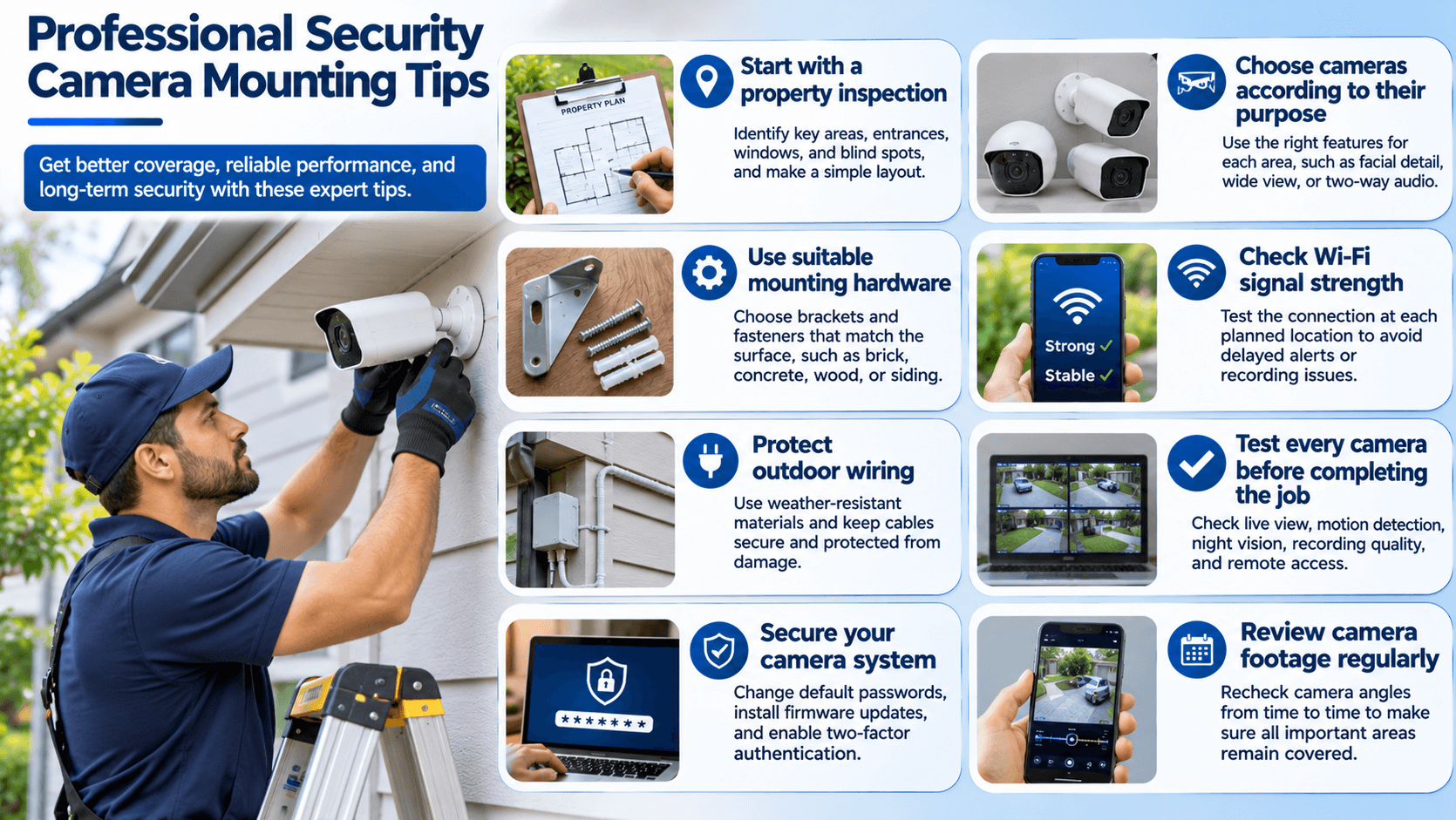
Installing security cameras may look simple, but achieving reliable coverage requires more than attaching a device to a wall.
Professional installation involves understanding camera angles, mounting surfaces, lighting conditions, power requirements, network connectivity, and the layout of the property.
If you want your system to work properly, consider the following practical recommendations.
Start with a property inspection
Walk around your house and identify important entrances, windows, outdoor areas, and possible blind spots. Make a simple layout of the property before deciding how many cameras you need.
Choose cameras according to their purpose
Different locations may require different camera features. A front entrance may benefit from facial detail and two-way communication, while a large driveway may need a wider field of view.
Use suitable mounting hardware
Always use mounting brackets and fasteners appropriate for the installation surface. Brick, concrete, wood, and vinyl siding may require different installation methods.
Check Wi-Fi signal strength
If you are installing wireless cameras, test the connection at each planned location. A weak signal can cause delayed notifications, interrupted recordings, and connectivity problems.
Protect outdoor wiring
Outdoor cables should be installed using suitable weather-resistant materials and protected from physical damage. Follow the manufacturer's instructions and applicable electrical requirements.
Test every camera before completing the job
Check live footage, motion detection, night vision, recording quality, and remote access. Make sure every camera covers the intended area.
Secure your camera system
Change default passwords, install firmware updates, and enable two-factor authentication where available. These steps help protect your cameras from unauthorized access.
Review camera footage regularly
Trees grow, outdoor furniture moves, and new structures can change camera visibility. Review your camera angles occasionally to make sure important areas remain covered.
Professional security camera mounting can be particularly useful when installing cameras on high walls, brick surfaces, large properties, or locations that require complex wiring.
A professional installer can also help you select suitable equipment and position each camera according to your home's layout.
Choosing the right locations for security cameras is just as important as selecting the cameras themselves. A high-quality system will not provide reliable coverage if important entrances, windows, and outdoor areas remain hidden.
Start by focusing on the front door, driveway, garage, backyard, side entrances, basement windows, and important indoor spaces. Then check for blind spots and adjust the mounting height and camera angles to capture useful footage.
Remember that more cameras do not always mean better security. What matters most is having the right cameras in the right places.
If you are planning a new home security cameras installation project, take time to inspect your property before mounting the equipment. A well-planned setup can improve visibility, make monitoring easier, and help you feel more confident about the safety of your home.
Whether you choose a DIY setup or professional home security installation, careful planning and proper camera positioning will help you get more value from your security system.


Our online price calculator is free and requires no credit card, email, or contact information. Check it out!
Our online price calculator is free and requires no credit card, email, or contact information. Check it out!