Save $10 On Your First Install. Use Code BLOG10


Auxe is operating as an essential business
Save $10 On Your First Install. Use Code BLOG10
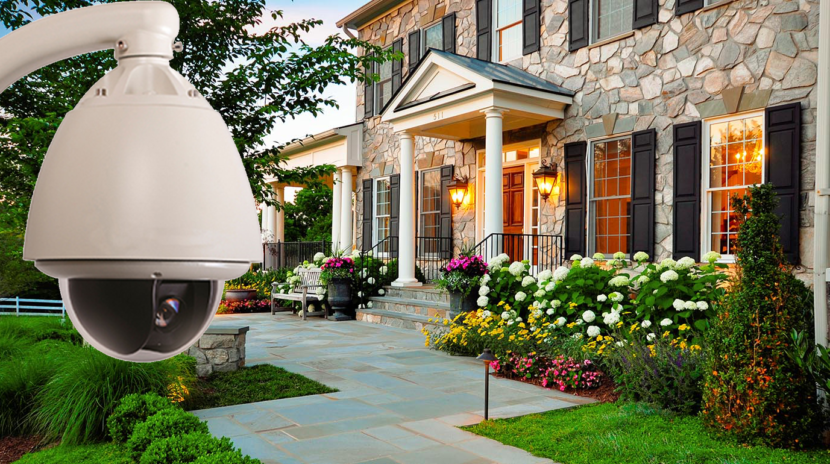
AI security cameras are changing how homeowners and businesses monitor their properties. Features such as person detection, vehicle recognition, package alerts, and smart motion notifications make modern surveillance systems more useful than basic video recording alone.
By
Ali
|
November 9, 2026


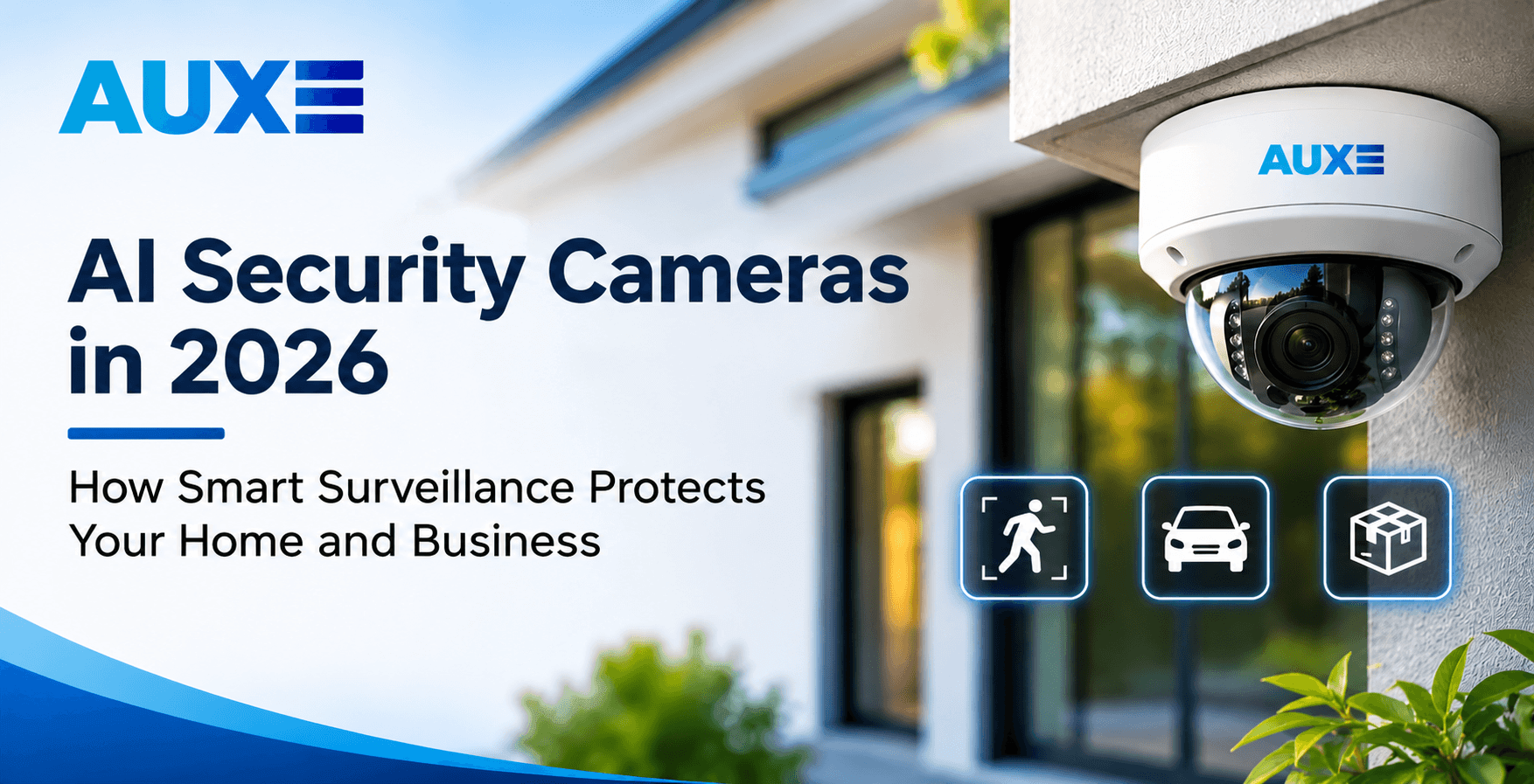
AI security cameras are changing how homeowners and businesses monitor their properties. Features such as person detection, vehicle recognition, package alerts, and smart motion notifications make modern surveillance systems more useful than basic video recording alone.
Keeping your home or business safe is important, whether you live in a busy neighbourhood or manage a commercial property. Security cameras have become a common way to monitor properties, check visitors, and keep an eye on areas that may be difficult to watch throughout the day. However, traditional cameras do not always provide the information people need. They record activity, but reviewing hours of footage can take time.
Modern AI security cameras offer more useful features. They can detect people, recognize vehicles, identify certain types of movement, and send alerts when something happens around your property. Instead of receiving notifications every time a tree moves or a pet walks past the camera, some smart systems can focus on specific events that matter to you.
In 2026, these features are becoming an important part of residential and commercial video surveillance. Homeowners can check their front doors, driveways, and backyards, while business owners can monitor entrances, parking areas, storage rooms, and other important locations.
However, choosing the right camera is only one part of protecting your property. Proper camera positioning, secure mounting, wiring, and system configuration also matter. Professional home security camera installation from Auxe Inc helps ensure your cameras are positioned correctly and your security system works as expected.
In this guide, we explain how AI security cameras work, what features to look for, and why professional installation can make a difference.
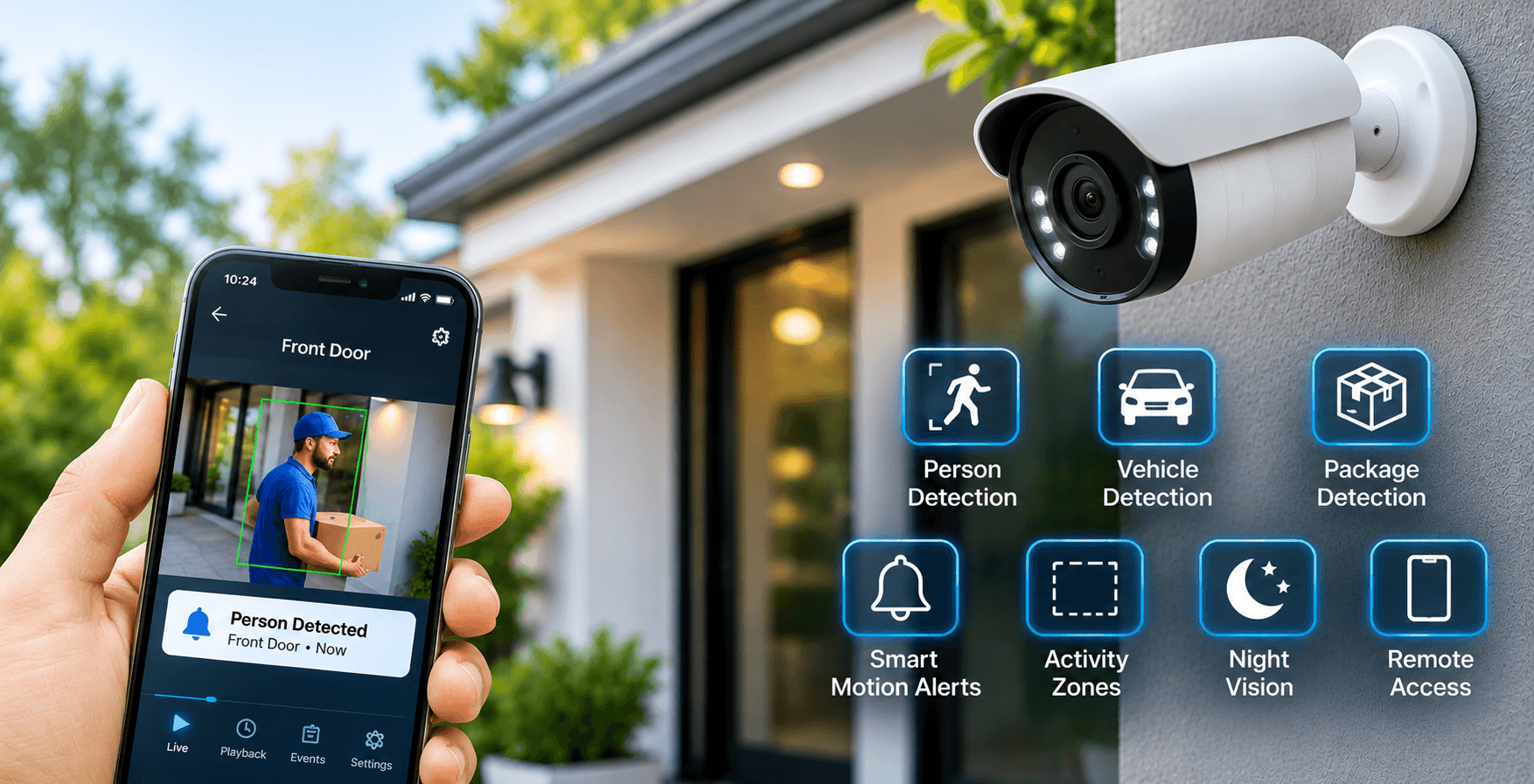
AI-powered security cameras are surveillance devices that use artificial intelligence to analyze video footage and identify certain types of activity. Unlike basic CCTV cameras that mainly record everything in front of them, smart cameras can process what they see and send alerts based on selected events.
For example, a standard security camera may send a motion notification when a person walks across your driveway. It may also send another notification when a car passes on the street or a tree moves in strong wind. This can result in too many unnecessary alerts.
An AI security camera can use object detection to tell the difference between a person, vehicle, or other moving object. Depending on the model, you may receive an alert only when someone enters a selected area or approaches your front door.
These cameras are available in different styles, including indoor cameras, outdoor cameras, doorbell cameras, and larger commercial surveillance systems. Some connect through Wi-Fi, while others use wired network connections for a more stable installation.
Common features of AI-powered security cameras include:
Not every camera offers all these features. Some functions also require a compatible recorder, subscription, or internet connection. Before purchasing a system, check which features are included and whether they work with your home or business network.
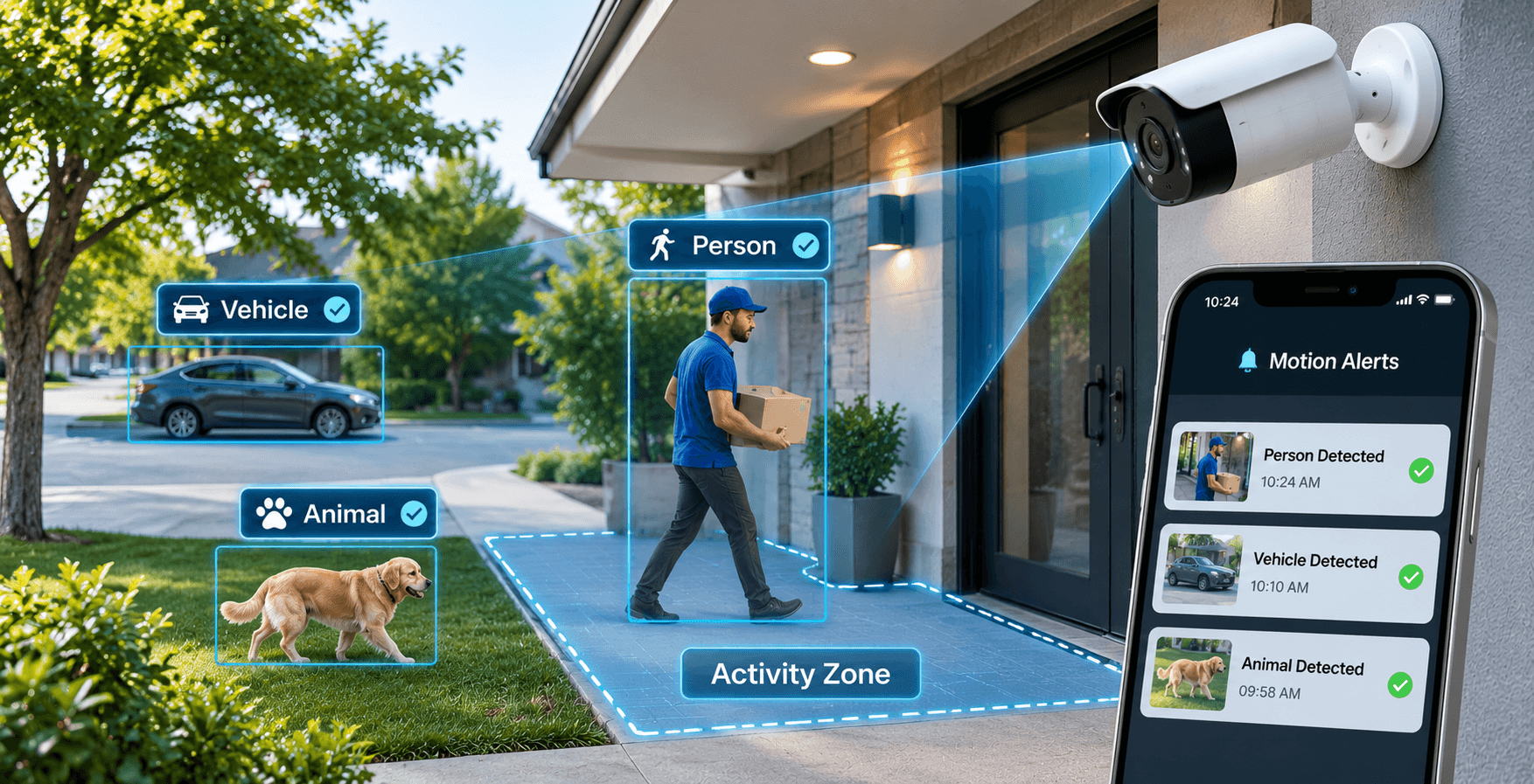
Motion detection is one of the most useful features of modern security camera systems. It allows cameras to monitor movement and notify property owners when activity takes place.
Traditional motion detection usually works by comparing changes between images. When the camera notices movement or a change in pixels, it may trigger an alert. The problem is that many ordinary movements can activate this feature, even when there is no security concern.
AI motion detection uses video analysis to understand what is moving. Depending on the camera and its software, the system can identify objects and classify them into categories such as people, vehicles, and animals.
For example, imagine that you have installed a security camera outside your home. During the day, several things may happen in front of it:
A basic motion detection system may send notifications for several of these events. An AI-enabled camera with person and vehicle detection can provide more specific alerts.
Many cameras also allow users to create activity zones. These are selected areas within the camera's view where movement should trigger notifications. You could monitor your front entrance while ignoring a busy public footpath outside your property.
This is especially helpful for homeowners who receive frequent notifications throughout the day. It also helps businesses focus on important areas, such as staff entrances, loading zones, and storage spaces.
However, AI detection is not perfect. Lighting conditions, camera angles, distance, and obstructions can affect how accurately a camera identifies activity. Correct camera placement is therefore important for reliable monitoring.
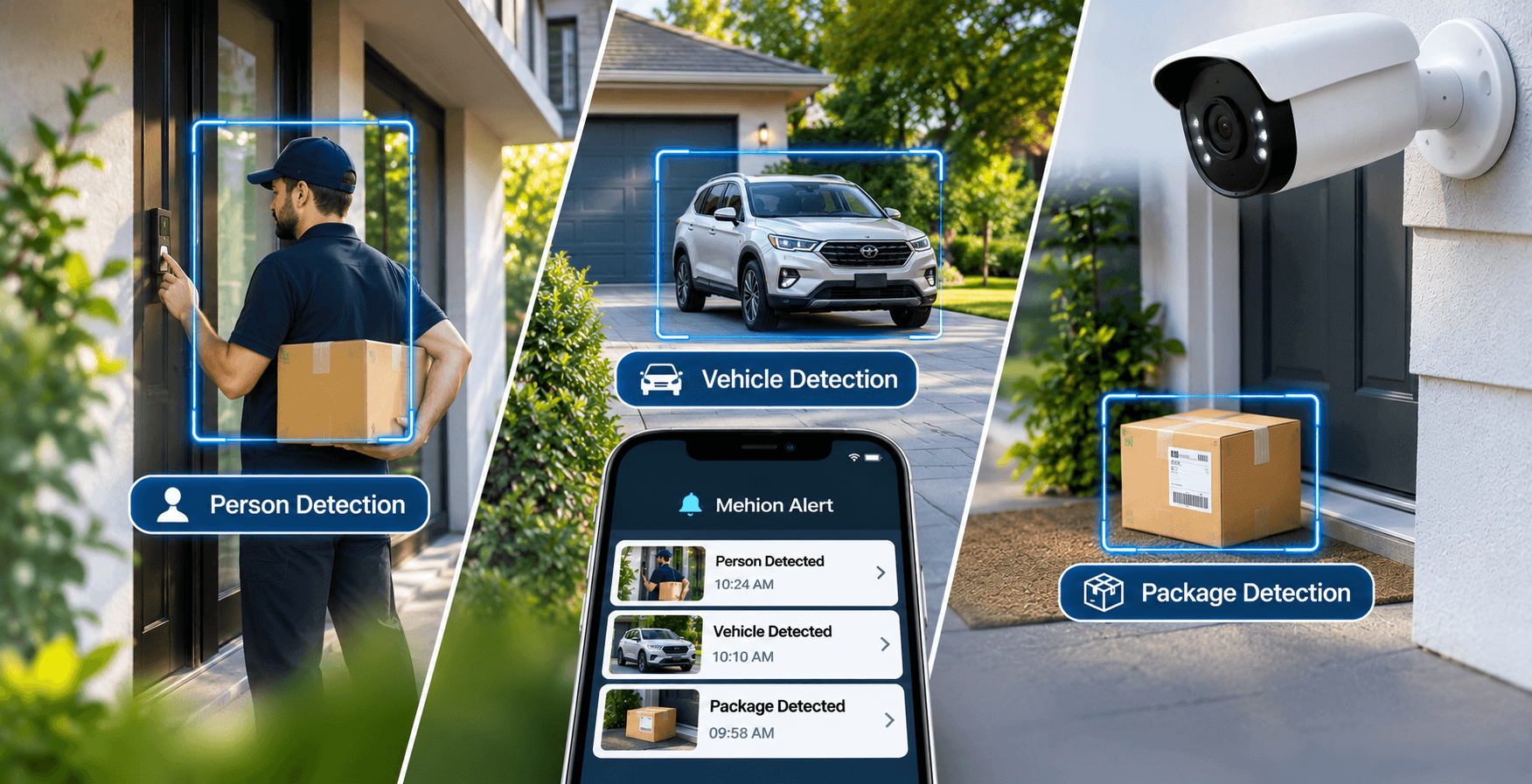
One of the main reasons people choose AI security cameras is their ability to identify different types of activity. These features help homeowners and business owners understand what is happening around their properties without constantly checking live camera footage.
Here are some useful detection features to consider when choosing a security camera system.
Person detection allows a camera to identify human movement. For example, if someone walks toward your front entrance, the camera can send a notification to your phone.
This feature is useful for monitoring:
Some advanced systems also offer familiar-face recognition, although availability depends on the camera, software, and subscription plan.
Vehicle detection helps identify cars, trucks, and other vehicles entering a monitored area. It can be useful for homeowners who want to monitor their driveways or businesses that need to keep an eye on parking areas.
For example, a business owner can receive an alert when a vehicle enters a loading area outside normal working hours. Some systems can also record vehicle details or support licence plate recognition when compatible equipment is installed.
Package detection is useful for homes where deliveries are regularly left outside the front door. Compatible cameras can identify packages and send notifications when a delivery is detected.
This allows homeowners to check whether a parcel has arrived without opening their door or constantly watching the camera feed.
Package detection can also help identify when a parcel is removed from the monitored area, depending on the camera's capabilities.
Not every security camera supports all three detection types. Before choosing a system, check its supported features and whether additional equipment or a subscription is required.
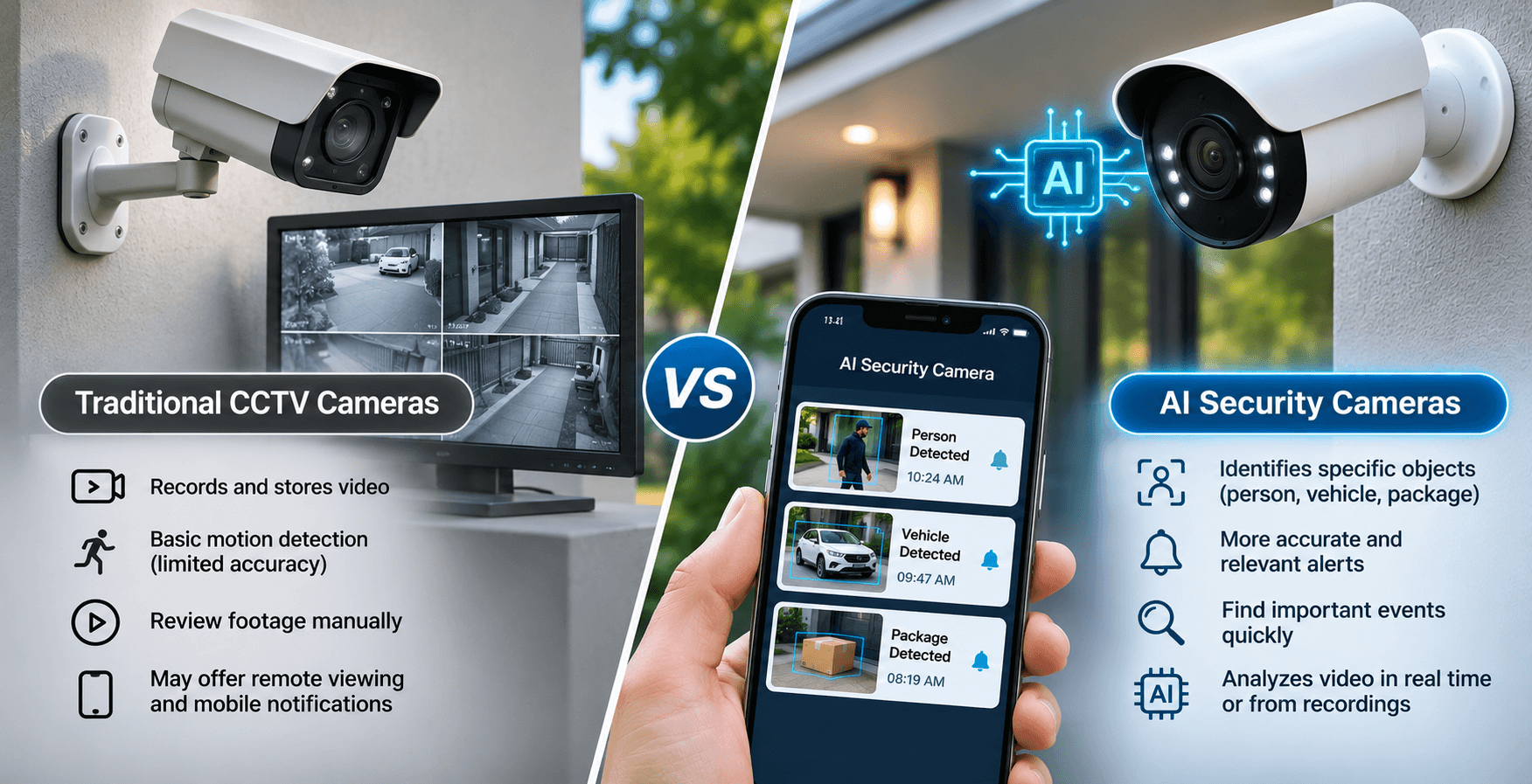
Both AI security cameras and traditional CCTV systems help protect residential and commercial properties. However, they work differently when it comes to identifying activity and managing recorded footage.
Traditional CCTV cameras mainly capture and store video. Property owners can review recordings when they need to check an incident. Some traditional systems also offer motion detection, remote viewing, and mobile notifications.
AI security cameras add another level of detection by analyzing recorded or live video and identifying specific objects. This makes it easier to find relevant events without reviewing every minute of footage.
For a small home, a traditional CCTV system may provide everything needed for basic monitoring. However, homeowners who want more specific notifications and easier footage searches may prefer an AI-enabled system.
Businesses can also benefit from smart detection features. For example, a warehouse manager may want to receive alerts when someone enters a restricted area after working hours.
The right choice depends on your property, security requirements, and budget. A professional installer can help you decide whether a standard CCTV setup or a smart security camera system is the better option.
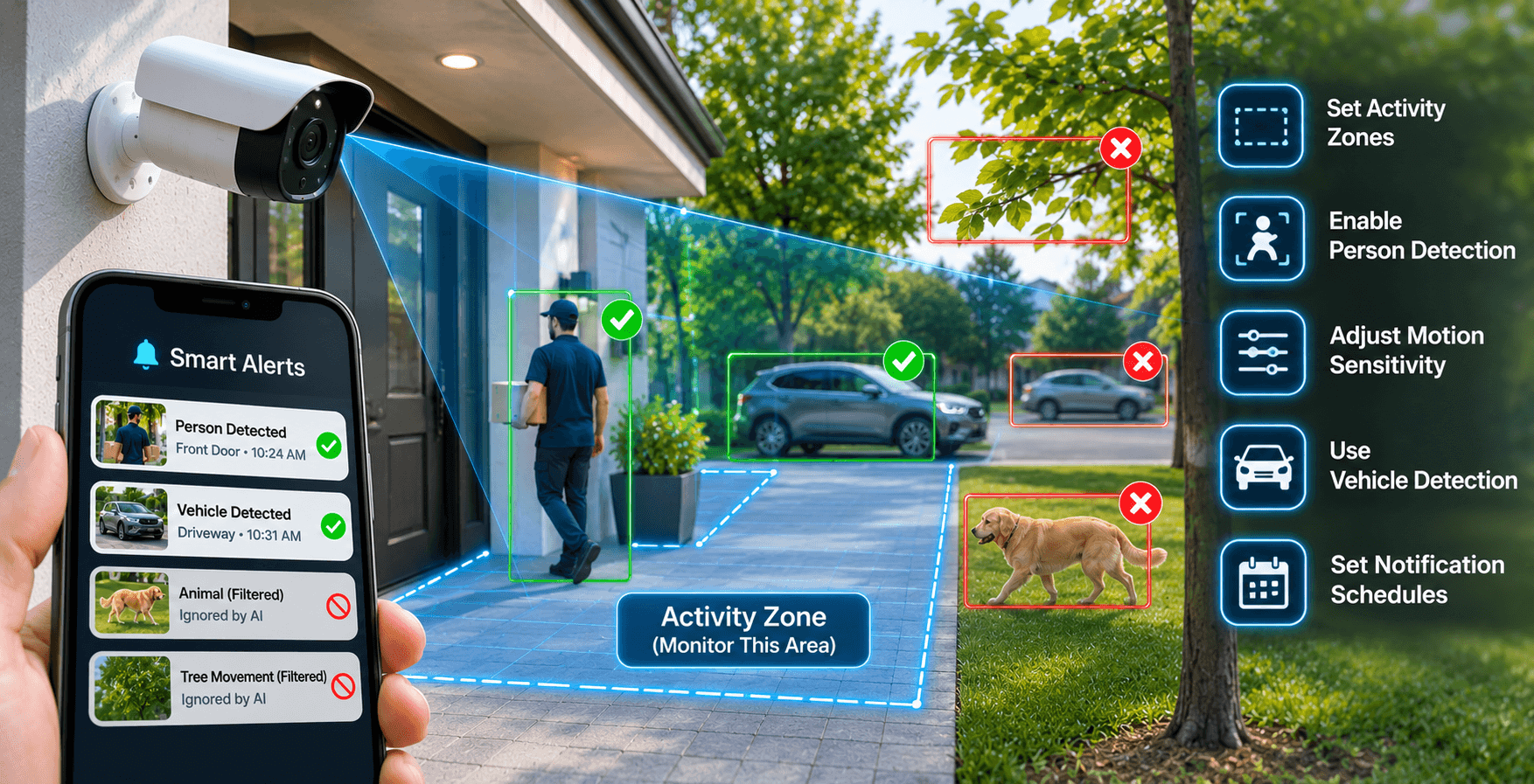
Receiving too many security notifications can become frustrating. If your camera sends an alert every time a tree moves, a vehicle passes, or an animal walks through your garden, you may eventually stop paying attention to notifications.
This is where smart detection can help.
AI-enabled cameras can classify objects and filter certain types of movement. Instead of treating every change in the camera's view as an important event, compatible systems can focus on selected objects, such as people and vehicles.
For example, imagine that your home is located beside a busy street. Cars and pedestrians may regularly pass through the camera's viewing area. You may only want notifications when someone enters your driveway or approaches your front door.
You can use activity zones and detection settings to limit unnecessary alerts.
Some useful ways to reduce unwanted notifications include:
Camera placement also matters. If a camera is pointed toward a busy road, it may capture unnecessary activity even with smart detection enabled.
Professional mounting security cameras services can help avoid these problems. A properly selected angle, suitable mounting height, and correct configuration can make the system more useful and reduce unwanted notifications.
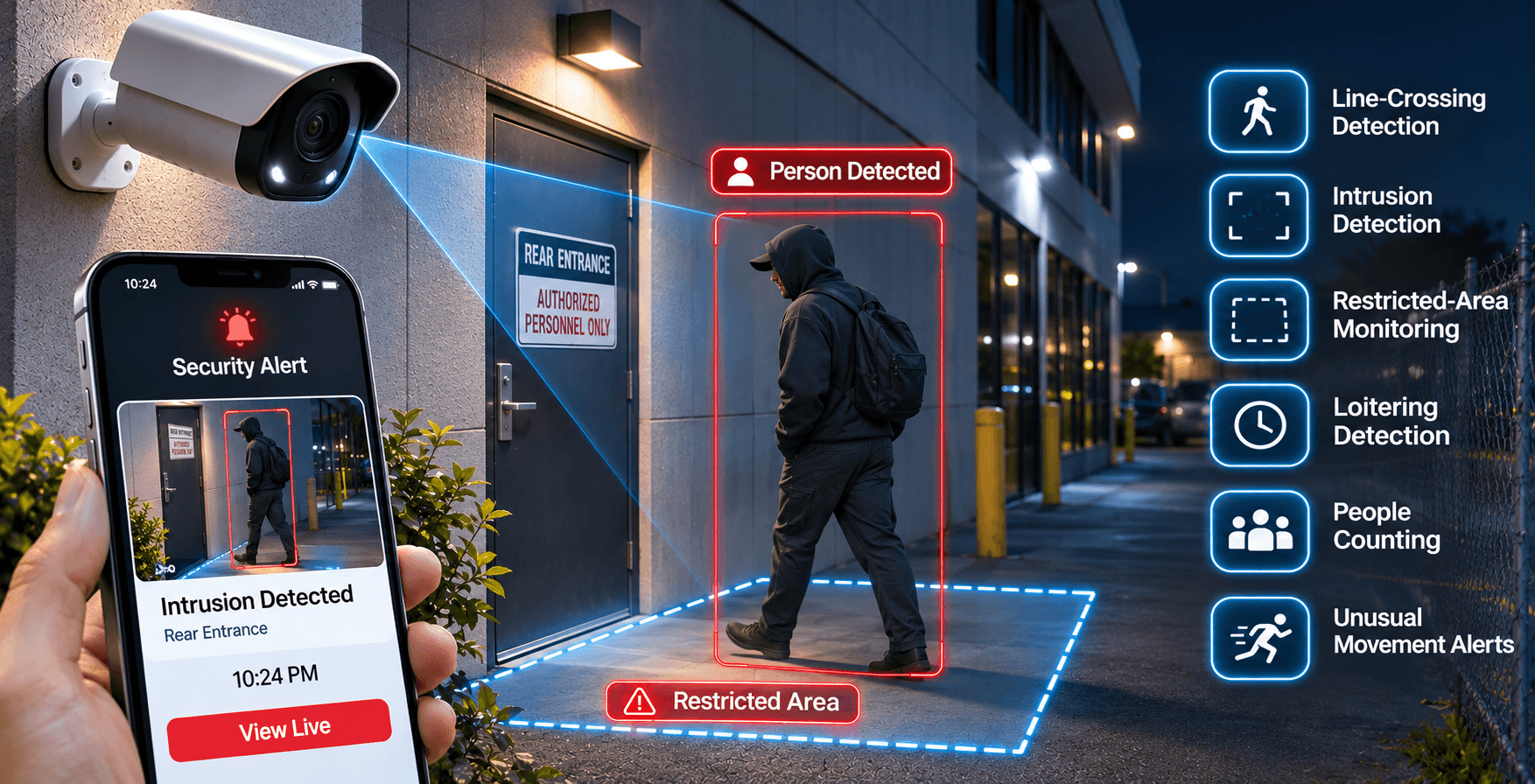
AI security cameras can identify certain movements and objects, but it is important to understand their limitations.
Most consumer security cameras do not automatically know whether someone has criminal intentions. They identify activity based on the features and detection rules available in the system.
For example, some cameras can detect a person entering a restricted area, crossing a virtual boundary, or remaining in a selected location for an unusual amount of time. These features can help property owners notice activity that may need attention.
Commercial security systems may offer more advanced video analytics, including:
Consider a commercial property with a rear entrance that should remain closed after business hours. A compatible surveillance system can detect someone entering that area and send an alert to the security manager.
However, these features should be treated as monitoring tools, not proof that suspicious or illegal activity has occurred. Lighting, camera position, objects blocking the view, and system settings can all affect detection accuracy.
For businesses, it is also important to consider employee privacy and local surveillance requirements. Cameras should be installed for legitimate security purposes and positioned responsibly.
A professionally planned video surveillance system can help cover important areas while avoiding unnecessary monitoring.
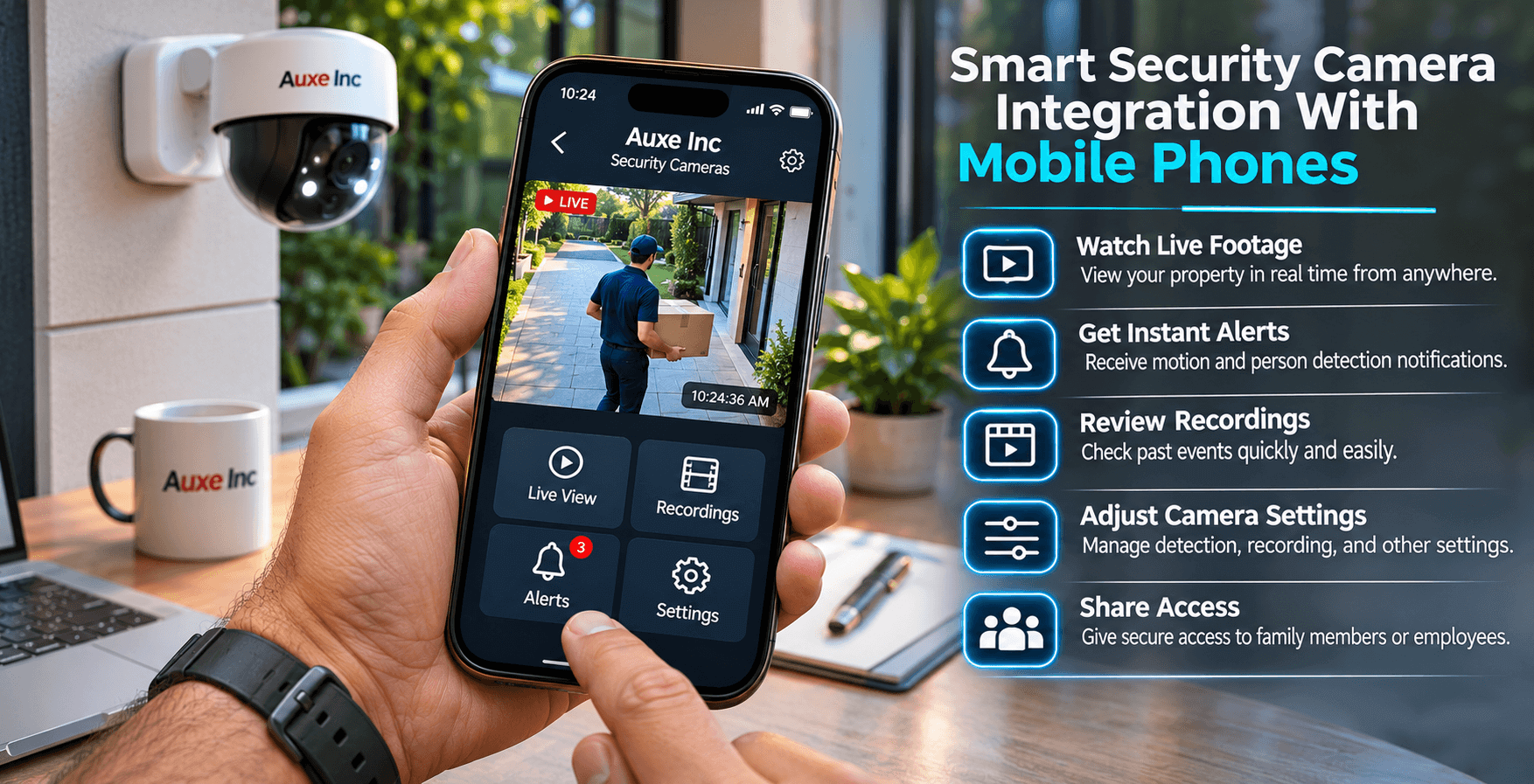
One of the most useful features of modern security camera systems is mobile access. Homeowners and business owners no longer need to sit in front of a recording monitor to check what is happening around their property.
Most compatible smart surveillance systems provide mobile applications that allow users to view live footage, check recordings, and receive security notifications.
After the system has been installed and configured, you can use your smartphone to:
For example, if you are away from home and receive a notification that someone has approached your front entrance, you can open the application and check the camera feed.
Business owners can use the same feature to monitor their shops, offices, and warehouses while travelling or working from another location.
However, remote viewing depends on several factors. Your cameras, recorder, internet connection, and mobile application must all be configured correctly.
A weak Wi-Fi connection, incorrect network settings, or poor camera placement can cause delays and connection problems.
This is why professional CCTV installation services are worth considering. At Auxe Inc, proper installation and system setup help ensure that your security cameras are positioned correctly and that the required remote viewing features are configured.
For properties with several cameras, a professionally configured recording system can also make it easier to manage multiple camera feeds from one place.
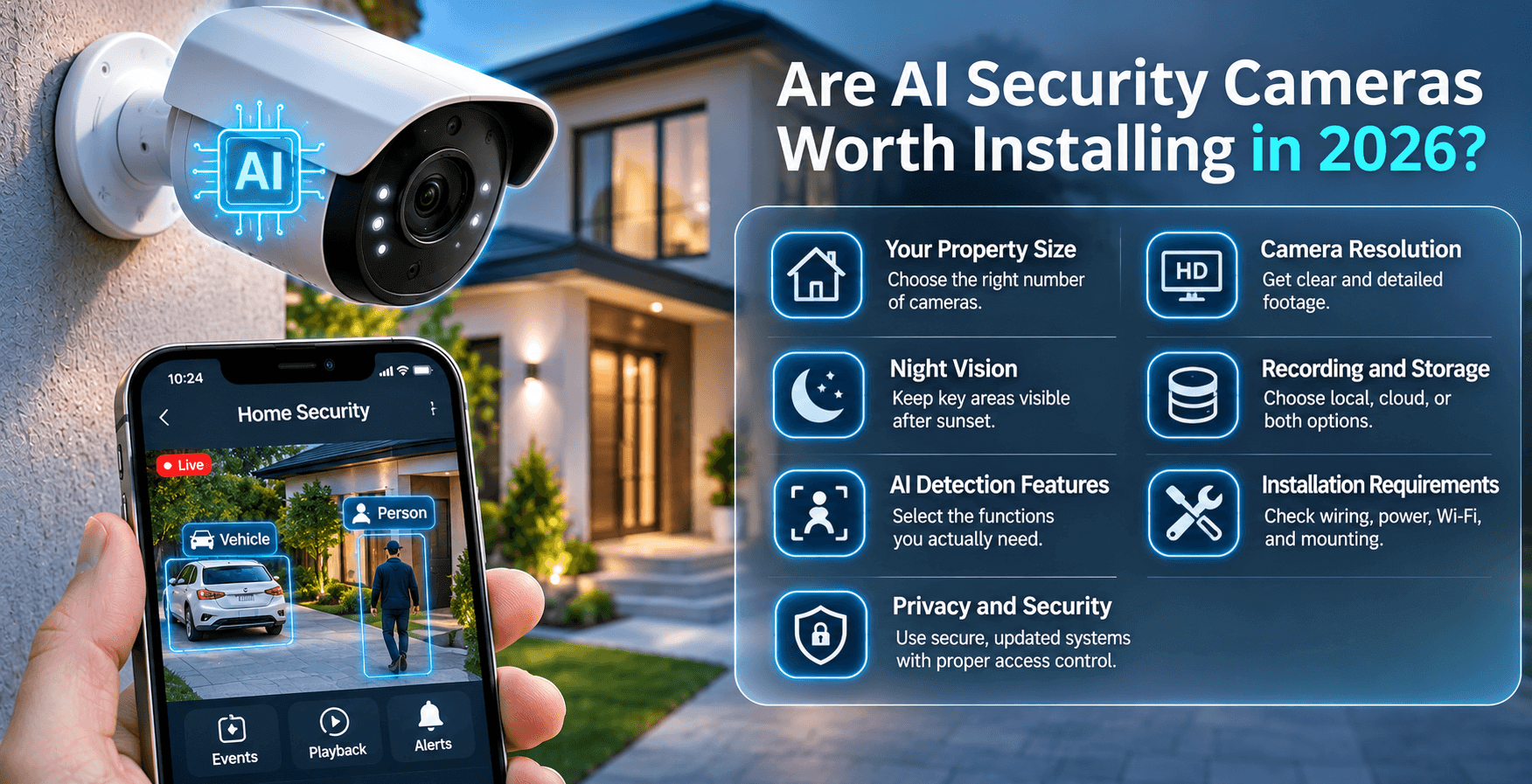
For many homeowners and businesses, AI security cameras are worth considering because they offer more than basic video recording.
They help users identify important activity, manage notifications, and find relevant footage more easily. However, the value depends on how you plan to use your security system.
For homeowners, smart cameras can help monitor front doors, driveways, garages, backyards, and other important areas. Person and vehicle detection can make everyday monitoring more convenient.
For businesses, AI-enabled surveillance can help monitor entrances, parking areas, inventory spaces, and restricted locations. Some commercial systems also offer advanced features such as people counting and vehicle analytics.
Before investing in a new system, consider the following factors.
1. Your property size
A small home may only need a few strategically placed cameras, while a large commercial property may require several cameras to cover different areas.
2. Camera resolution
Choose a resolution that provides enough detail for your intended viewing distance. Higher resolution can help capture clearer footage, but it also requires suitable storage and network capacity.
3. Night vision
Outdoor cameras should provide suitable low-light performance so that important areas remain visible after sunset.
4. Recording and storage
Decide whether you prefer local recording through a DVR or NVR, cloud storage, or a combination of both. Check recording retention and storage requirements.
5. AI detection features
Make sure the camera supports the detection features you actually need. Some advanced functions may require compatible hardware or monthly subscriptions.
6. Installation requirements
Consider wiring, power supplies, mounting surfaces, Wi-Fi coverage, and camera positioning before purchasing equipment.
7. Privacy and security
Choose systems with regular security updates, strong passwords, and suitable access controls. Also check where video footage is processed and stored.
A good security system should meet your property's requirements rather than simply having the largest number of features.
If you are unsure which cameras to choose, hiring professionals can help you avoid purchasing equipment that does not suit your property.
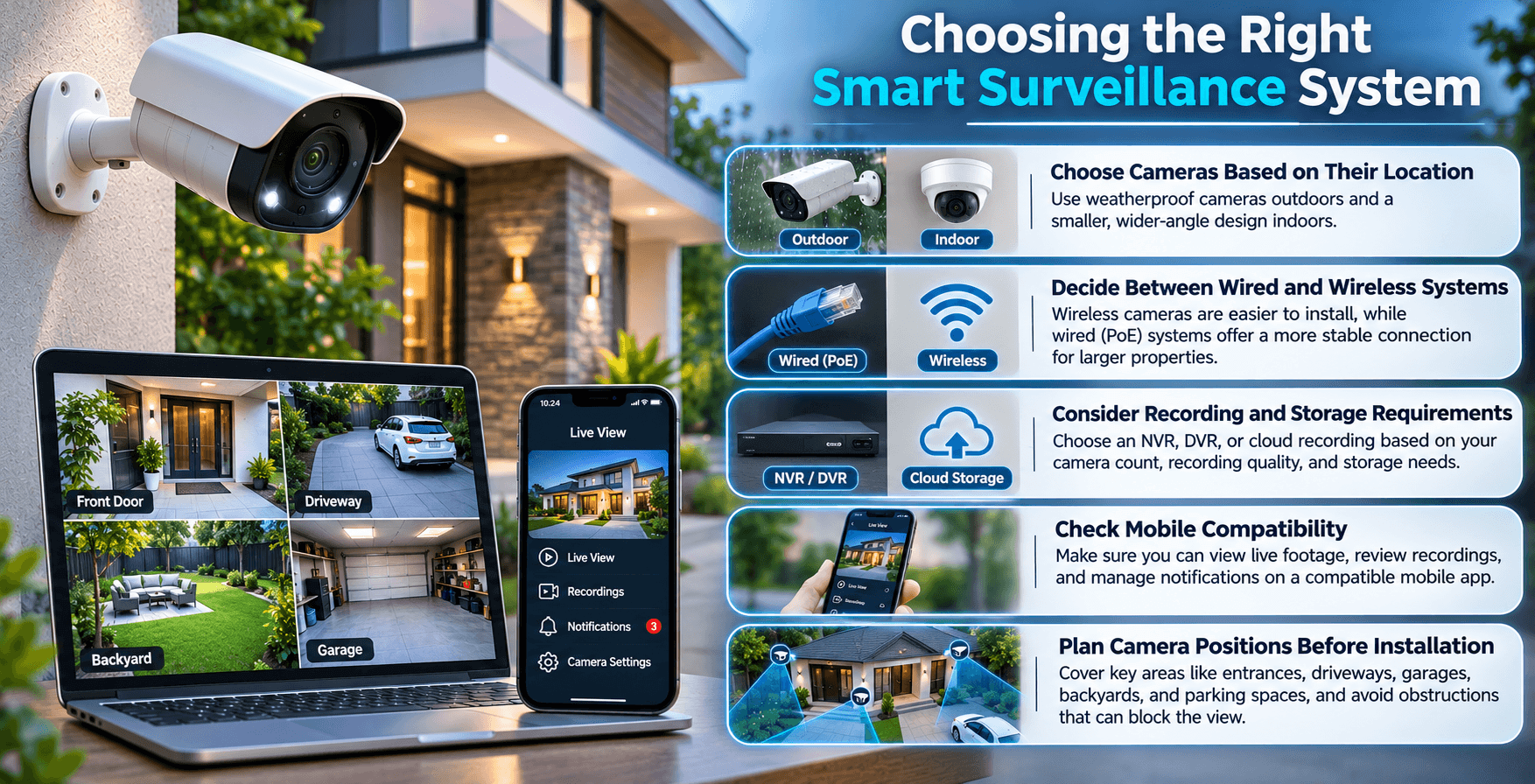
Choosing a security camera system requires more than comparing prices and camera specifications. You need to consider the areas you want to monitor, the type of recording you need, and how you plan to access your footage.
A system that works well for a small house may not be suitable for a warehouse or retail store.
Here are some important points to consider before installation.
Indoor and outdoor cameras have different requirements. Outdoor cameras should have suitable weather protection, while indoor cameras may need a smaller design and a wider viewing angle.
For entrances and driveways, choose cameras that can capture useful details from the expected distance.
Wireless cameras are often easier to install in areas where running cables is difficult. However, they still need reliable power and a suitable wireless connection.
Wired IP cameras, including Power over Ethernet (PoE) models, can provide a stable network connection and power through a single Ethernet cable.
For larger properties, a wired system may be a better choice because it can provide more reliable connectivity across multiple cameras.
Think about how long you need to keep recorded footage.
An NVR system is commonly used with IP security cameras, while traditional CCTV systems may use a DVR. Some smart cameras also support cloud recording.
Your choice should depend on the number of cameras, recording quality, storage capacity, and how frequently you need to review footage.
If you want to monitor your property remotely, make sure the cameras and recording equipment support a compatible mobile application.
You should be able to access live footage, review recordings, and manage notifications without unnecessary complications.
Camera positioning has a direct effect on how much of your property you can monitor.
Entrances, driveways, garages, backyards, parking spaces, and storage areas are common locations to consider. Avoid placing cameras where walls, trees, lights, or other objects block the view.
For better results, professional installation can help determine the right camera locations, mounting heights, angles, and cable routes.
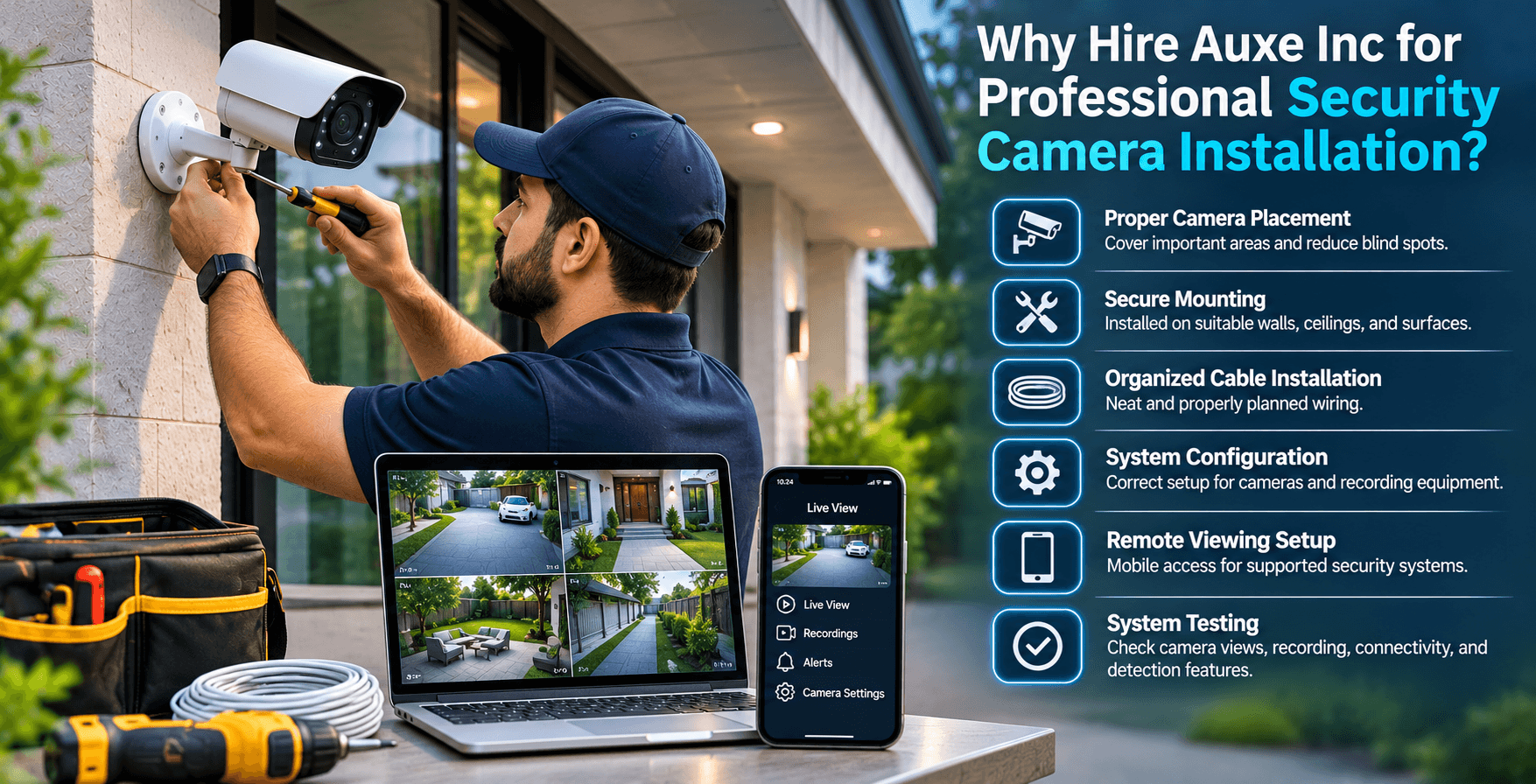
Buying good security cameras is only the first step. Even a high-quality camera system may not perform properly if the cameras are installed at the wrong angles, cables are poorly connected, or recording settings are not configured correctly.
Professional installation helps make sure that every part of your security system works together.
For professional CCTV camera Installation in Toronto or any other city at Auxe Inc, we understand that every property has different security requirements. A homeowner may need cameras around the front entrance, driveway, and backyard, while a business may require coverage across entrances, parking areas, offices, and storage spaces.
Our professional installation approach focuses on the practical needs of your property.
When you hire professionals for security camera installation, you can benefit from:
Whether you need home security camera installation or a larger commercial video surveillance system, choosing an experienced installation company can save time and help avoid common setup problems.
Instead of guessing where cameras should go or dealing with complicated wiring, let experienced professionals handle the installation.
Contact Auxe Inc to discuss your security camera installation requirements and get professional help setting up a surveillance system for your property.
Regular CCTV cameras mainly record video and may offer basic motion detection. AI security cameras can also identify specific objects, such as people and vehicles, and provide more detailed notifications depending on the model.
Some AI security cameras can detect movement and record footage locally without an internet connection. However, remote viewing, cloud storage, and mobile notifications usually require an internet connection. Features vary by system.
Yes, compatible cameras can detect people in low-light conditions using infrared night vision or other supported imaging technology. Detection accuracy depends on camera quality, lighting, distance, and installation position.
Yes. They can be used in retail stores, offices, warehouses, parking areas, and other commercial properties. Features such as person detection, vehicle detection, and restricted-area monitoring can help businesses manage security.
The number depends on your property's size, layout, entrances, and security requirements. A smaller home may need only a few cameras, while larger properties may require additional coverage for garages, backyards, and outdoor areas.
Not always. Some systems include AI detection features without a subscription, while others require a paid plan for advanced alerts, cloud recording, or additional recognition features. Always check the manufacturer's requirements before purchasing.
Professional installation is recommended if you need multiple cameras, outdoor mounting, cable routing, network configuration, or a complete recording system. An experienced installer can help position cameras correctly and test the system after setup.
AI security cameras are changing how homeowners and businesses monitor their properties. Features such as person detection, vehicle recognition, package alerts, and smart motion notifications make modern surveillance systems more useful than basic video recording alone.
However, choosing the right equipment is only part of the process. Camera placement, mounting, wiring, network connections, and recording configuration all affect the performance of your system.
If you are planning home security camera installation or need a professional video surveillance setup for your business, Auxe Inc can help you get started.
Hire professionals for your security camera installation and make sure your property has the camera coverage it needs. Contact Auxe Inc today to discuss your installation requirements.


Our online price calculator is free and requires no credit card, email, or contact information. Check it out!
Our online price calculator is free and requires no credit card, email, or contact information. Check it out!